

Multi-site Airtable-powered Webflow Integration
This web development company contracted Osher Digital to sync Airtable with more than ten different Webflow sites using n8n.
Your CRM, your accounting package and your operations system should agree with each other. We build the integrations that make them agree. If a system has an API, we can connect it, and when it does not we will tell you that too.

The short version
That sentence does a lot of work, so here is what sits behind it. Most business software published in the last decade exposes an API, which means another program can read and write the same data your staff see on screen. We use that to move work between systems without anyone retyping it.
The systems that matter to you are usually a CRM, an accounting package, and whatever runs the actual job: bookings, projects, inventory, field work. Each one holds a slice of the truth. Nobody holds all of it. That gap is where the retyping, the stale reports and the awkward month-end reconciliations live.
We close the gap. Not by replacing what you own, and not by asking your team to change how they work, but by building the connections between the tools you already pay for.
Who this is for

A sale closes in the CRM, then somebody opens the accounting system and enters the customer again. The second entry is where the typos live, and it is nobody's favourite part of the day.

Sales says one number, finance says another, and both are reading their own system honestly. Neither is wrong. They are just looking at data that stopped agreeing weeks ago.

Someone exports a CSV every Monday, pivots it, and emails it around. That spreadsheet is doing the job an integration should be doing, and it breaks whenever that person takes leave.

Every new client adds hours of coordination rather than hours of work. That is usually a plumbing problem, not a staffing problem.
Why choose us

If a system has an API, we can connect it. Modern SaaS, legacy software with a SOAP interface, or a database that predates the cloud.

Connected systems remove the retyping between them. Data entered once lands everywhere it is needed, and the errors that come from double handling disappear.

Integrations built properly handle growth: new tools, more records, higher volumes. You can add a system without rebuilding the plumbing.

When systems stay in sync, reports agree with each other and decisions run on current numbers instead of last month's export.
What we build
Most integration work is one of these five patterns, or a combination. Knowing which one you need is most of the design work, and it changes the cost considerably.
One system owns the record and pushes changes to another. The cheapest and most reliable option. Use it when there is a clear source of truth, like your CRM owning customer details.

Both systems can change the record and both stay current. More useful and considerably harder, because someone has to decide what happens when the same field changes in both places at once. We make that rule explicit rather than leaving it to chance.

Something happens in one system and the next step fires immediately. An invoice is paid, so the job is marked ready and the crew is notified. Webhooks where the system offers them, polling where it does not.

A nightly or hourly run that moves a whole set of records at once. Right for reporting pipelines, payroll exports and anything where near-real-time is not worth paying for.

When five systems need to talk, connecting each pair gives you twenty connections to maintain. A central layer that everything talks to instead gives you five. We build that layer when the count justifies it.

Software with no modern API, a database you can read but not write, or a system that only exports files to an FTP server. These are solvable. They just need to be scoped honestly, because they cost more than a clean REST integration.
Systems we connect
Each of these has a page on what we automate with it. The full library covers 750 or so products, and a system not listed here is rarely a problem.
How it works
Step 1

We sit with the people doing the retyping and write down exactly which fields travel between which systems, how often, and what happens when something is missing. This is the step that decides whether the project works.
Step 2

We read the actual documentation for each system, confirm the operations you need exist, and find the rate limits and the fields that are read-only. Occasionally this is where we discover a system cannot do what the vendor's sales page implied. Better to find that in week one.
Step 3

What is the source of truth for each field. What happens on a conflict. What happens when a system is down. We write these down and get your agreement before building, because they are business decisions, not technical ones.
Step 4
We build the integration and run it against a copy of your real records, not tidy sample data. Real data is where the edge cases live: the customer with no email, the invoice with a negative line, the name with an apostrophe.
Step 5

For anything touching money or compliance, we run the integration alongside the manual process for a period and compare the results. You go live when the numbers match, not when we say it is ready.
Step 6

Integrations break when the systems either side of them change, and vendors change APIs without asking. We monitor for failures, alert a human when something needs a decision, and maintain what we build.
Honest advice
Integration is not always the right answer, and a project that should not have started is expensive for both of us. These are the cases where we say so.
If two people move fifteen records a week, an integration will not pay for itself. We will tell you that rather than sell you one. Come back when the volume grows or the error rate starts to hurt.
Automating a process nobody can explain just makes the confusion faster. If the underlying workflow needs fixing first, a business process audit is the cheaper starting point.
If the CRM is going out in six months, integrating it now means building the same thing twice. We would rather wait and build it once against the system you are keeping.
Case studies
This web development company contracted Osher Digital to sync Airtable with more than ten different Webflow sites using n8n.
When this Australian insurance tech startup hit technical roadblocks ingesting bom.gov.au weather data via FTP and .tar archives, we stepped in with advanced n8n automation expertise and hands-on team coaching. In weeks, we delivered production-ready workflows, optimised their data pipeline to Metabase, and upskilled their lean team.
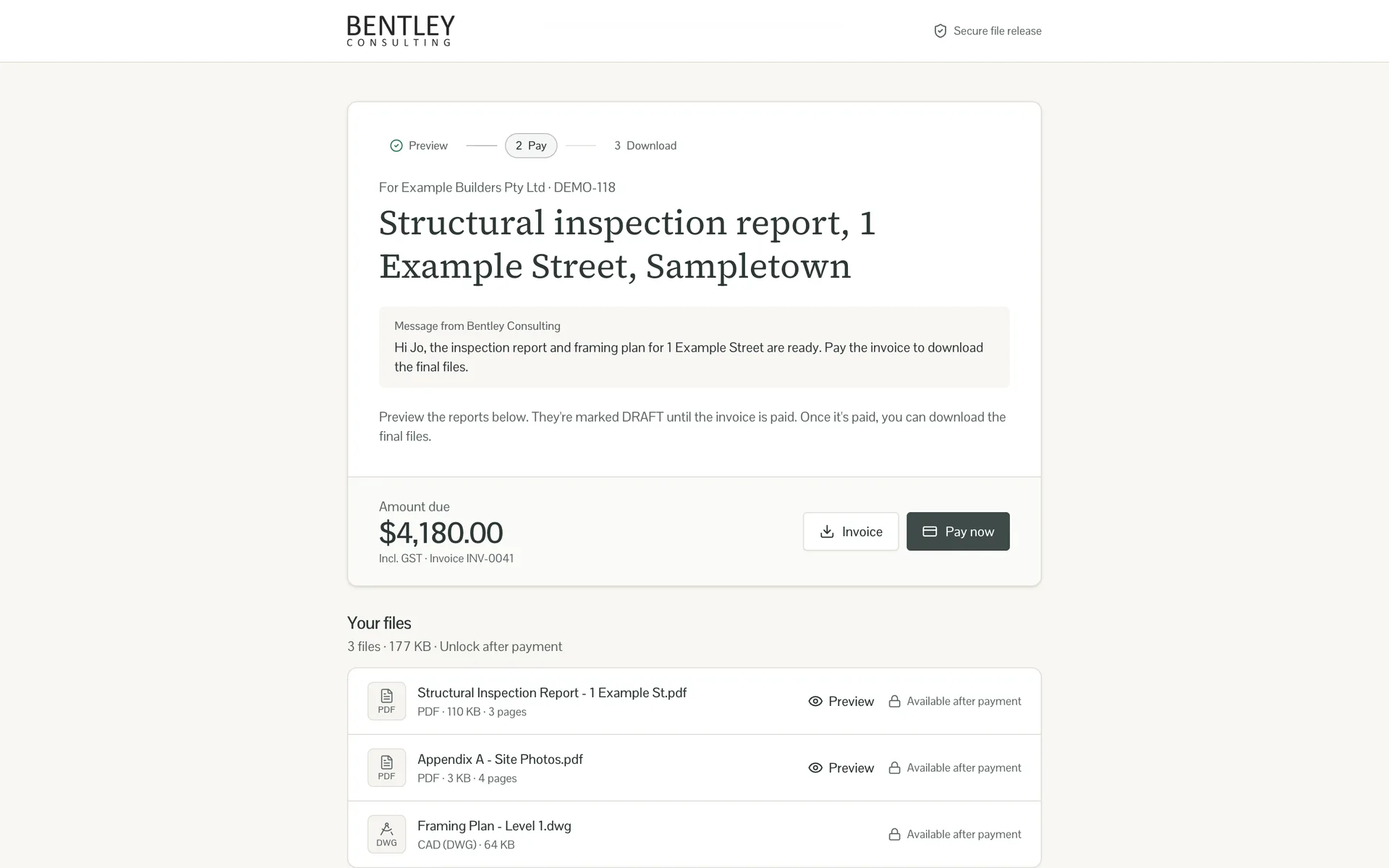
This engineering consultancy emailed its reports, drawings and Xero invoice together, so clients had the work before they had a reason to pay. Osher Digital built a portal that reads the invoice, shows the client a DRAFT-stamped preview, and releases the clean files as soon as the invoice is paid in Xero.
Integrations
Integration work often pairs with our AI and automation services. Once systems are connected, the busywork between them can be automated too. Here's how we connect and automate 750+ tools.








Improvements
Every number below comes from a real engagement. Each card links to the case study behind it.

$250k
Annual savings identified for a 35-person team
Read the case study
8,000+
Admin hours a year identified for a property client
Read the case study
80%
Reduction in manual data entry for a field services company
Read the case study
<1 min
To format and summarise a candidate resume
Read the case studyHow we measure: hours saved multiplied by loaded labour cost, agreed with the client after go-live.
“We were running quoting, scheduling and invoicing across multiple separate systems and various spreadsheets, and it had started to cost us time and money in double-handling. Osher Digital built us an AI-first custom ERP portal that now runs the whole job lifecycle in one place, Matthew was easy to deal with and stayed involved throughout the project. Recommend them.”
Robert Lowe
CEO at ACT Property Inspections

“Osher Digital has really helped me automate the parts of my business that were critical to automate. My copy and paste days have been reduced by around 80%.”
Lawrence Mitchell
Consulting Arborist at LSM Tree Advice

“The team helped us automate our lead acquisition and sales process so we know what works and what doesn’t.”
Nicola Hunter
Senior VP at Monarch Medical Technologies

“Great operators, efficient, intelligent and understood the technical requirements. Great to find a partner like this that I’ll continue to use in the future!”
Daniel Swanton
Director at emd:digital

“A massive thank you for the responsiveness and professionalism. It’s been a great process and I’m sure it won’t be our last job together.”
James Bentley
Director at Bentley Consulting
Related services
For the systems with no API at all. When a vendor will not open the door, a bot can use the same screens your staff do.
Learn moreA lot of our integration work runs on n8n. If you already have workflows and they keep breaking, this is the page for you.
Learn moreSometimes five connected systems should have been one system. If the integration bill keeps growing, this is worth reading.
Learn moreChoosing a tool
Where Power Automate, Make, Zapier and code-first tools win, where they stop, and what goes wrong in production.
October 27, 2026
A practitioner comparison for Australian businesses on Microsoft 365: what you already pay for, how each tool bills, where the data sits, and what happens when a flow fails.
Read moreOctober 27, 2026
Make and n8n look alike on the canvas and bill very differently. Where each one wins, what they cost as workflows grow, and how we move clients from one to the other.
Read moreAugust 2, 2024
n8n vs Zapier in 2026: where each tool genuinely wins, where it doesn’t, and which to choose based on workflow volume, team skills, and AUD cost.
Read moreOctober 27, 2026
Temporal makes code durable, Prefect orchestrates Python pipelines, and n8n connects business systems visually. When each one is the right call, and how they work together.
Read moreNovember 2, 2025
The eight system integration challenges we have lost real weeks to in production, with the patterns and mitigations that actually fix them in 2026.
Read moreJune 22, 2024
System integration best practices that survive contact with production: idempotency, retries, observability, and the patterns we use across client builds.
Read moreFAQs
Explore our services
One system that runs your whole business, built around how you work. You own the code outright.
Connect the tools you already run so data entered once shows up everywhere it is needed.

Agents that carry a task through your systems and ask a person when they are not sure.
One day onsite mapping how the work really happens, and what is worth automating. From $7,500 + GST.
Where AI fits your business, what it costs and what it returns, before you spend serious money.
Workflow automation built on n8n, designed to be maintained, and fixed when it keeps breaking.
Book a free 15-minute call. Tell us which tools refuse to cooperate and we'll map the shortest path to connecting them.
Australian-hostedPrivacy Act compliantNDAs standard