AI Agency Software
We have productized our own internal AI agency software – administrate.dev
By Matthew Clarkson · January 31, 2026
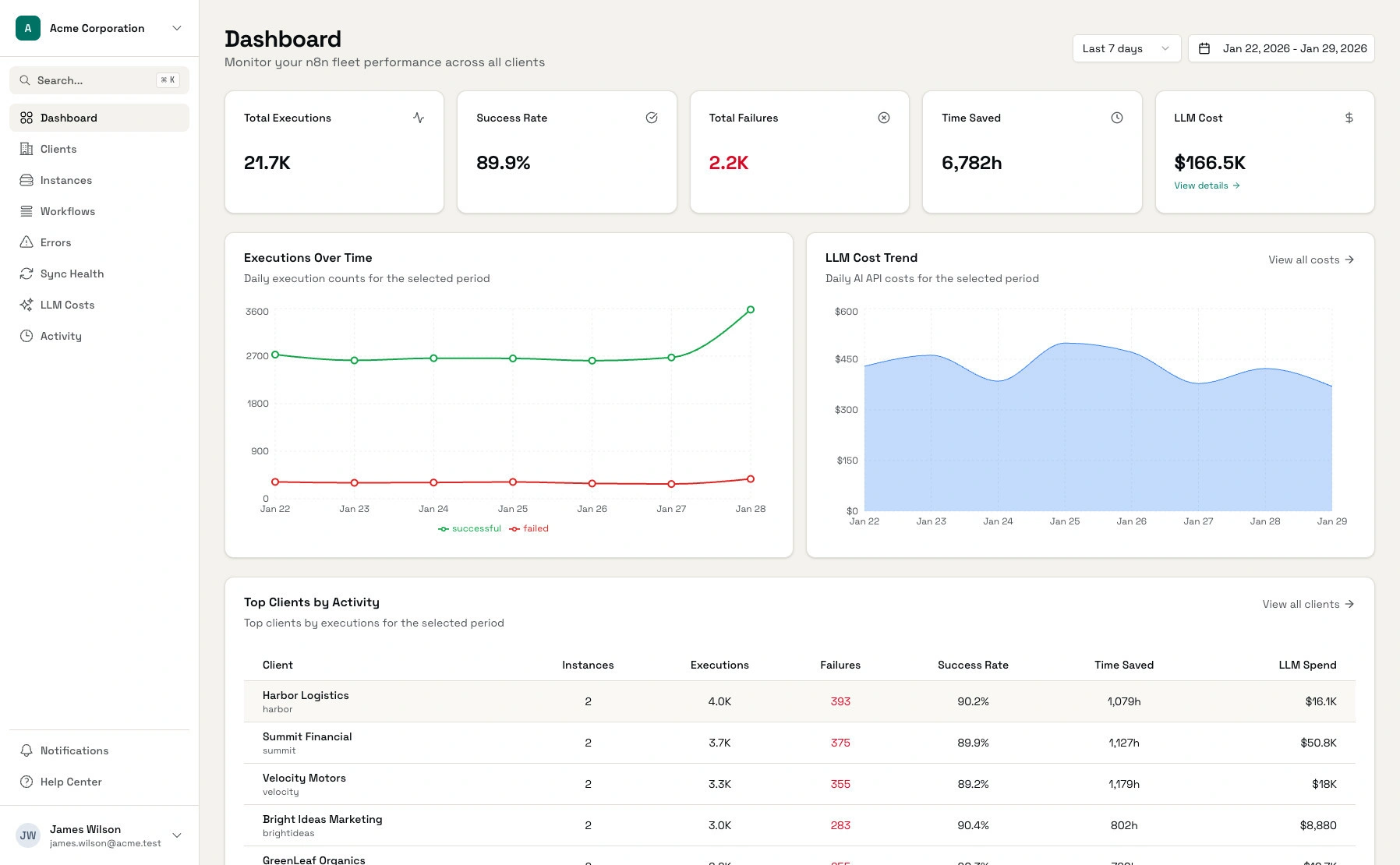
When you’re running automations for a handful of clients, things are manageable. You know which workflows are running, you can check in on each n8n instance, and when something breaks, you usually find out pretty quickly.
Then you hit 15 clients. Then 20. Each with their own instance, their own workflows, their own quirks.
That’s when things start to fall apart – not the automations themselves, but your visibility into them.
The Spreadsheet Phase
Like most agencies, we started with spreadsheets. Client names, instance URLs, login credentials, notes about what workflows did what. It worked for a while.
But spreadsheets don’t tell you that a client’s lead capture workflow has been failing silently for two weeks. They don’t show you which clients are actually using their automations and which ones haven’t triggered a workflow since onboarding. They definitely don’t help you figure out why your AI provider bill jumped $400 last month.
We found out about that two-week failure when the client emailed us asking why their CRM had gone stale. Not a great moment.
What We Needed
We looked for existing tools. Most monitoring solutions are built for DevOps teams watching infrastructure, such as uptime, server health, container orchestration. Useful stuff, but not what we needed.
We needed something that understood the agency model: multiple clients, each with their own instance, workflows that needed to be tracked by client, costs that needed to be attributed correctly.
So we built it. Our very own AI Agency Software.
What Administrate.dev Does
Administrate gives you a single dashboard for your entire n8n fleet, organised by client.
See who’s using what. At a glance, you can see execution counts, success rates, and activity trends across all clients. Spot the ones running thousands of executions per week and the ones who haven’t triggered anything in a month.
Catch failures before clients do. Every error gets logged and categorised automatically. Auth issues, rate limits, network errors — filter by client or workflow and fix problems before they become angry emails.
Track AI costs properly. Connect your OpenAI, Anthropic, or Azure accounts and see costs attributed to specific clients. Set budget alerts so you know when someone’s approaching their limit before the invoice arrives.
Prove value. Configure time-saved estimates per workflow and generate reports showing clients the ROI of their automations. Useful for retention conversations and upsells.
Build on top of it. Everything’s available via REST API. We also built an MCP server so you can expose your data to Claude Desktop or Cursor — handy when you want your AI assistant to actually know about your clients.
The Setup
Connecting an instance takes about five minutes. Add your n8n API credentials, associate it with a client, and metrics start flowing. For LLM cost tracking, you connect your provider API keys and we pull the usage data automatically.
Pricing
We kept it simple:
- Solo (Free): 3 instances, 1 user, unlimited clients, LLM cost tracking
- Pro ($97/month): 15 instances, 5 users, unlimited clients, API access, webhooks and your very own MCP server
- Agency ($297/month): 50 instances, unlimited users, unlimited clients, LLM tracking for 50 clients, higher API, webhook and MCP rate limits
- Enterprise : Unlimited everything, priority support
No credit card needed for the free plan. If you wa
Try It
If you’re running n8n automations for multiple clients and you’re tired of the spreadsheet juggle, give it a go: administrate.dev
We built this because we needed it. Hopefully you’ll find it useful too.
Last updated on July 1, 2026
Free tool · 3 minutes
AI Readiness Assessment
Score how ready your business is for AI in a few minutes, with tailored next steps.
Continue Reading
View all
AI in Mining Uncovered: How Smart Tech Boosts Safety and Profit
Imagine having a partner for your operations team who never sleeps. A partner who can sift through endless streams of data from your drills, trucks, and sensors, spotting tiny clues that signal a million-dollar problem is just around the corner. That’s the real value of AI in mining. It is not about sci-fi robots; it […]
Jan 30, 2026

A Plain English Guide to AI in Logistics
Artificial intelligence in logistics is about giving your supply chain a brain. It is not about self-aware robots taking over the warehouse floor, but rather about using smart systems to make your entire operation more efficient, predictive, and resilient. Think of it as the ultimate co-pilot for your logistics team. It is an assistant that […]
Jan 22, 2026

A Business Guide to AI Regulation in Australia
Diving into AI is a bit like getting the keys to a high-performance car. You can feel the power and potential, but you also know you need to learn the rules of the road before you hit the accelerator. That’s pretty much what AI regulation is: the collection of guidelines and laws being drawn up […]
Jan 22, 2026
Sick of reading about automation?
Book a free 15-minute intro call. We’ll talk through what you’re trying to automate and whether we’re a good fit.