How to Automate Your Accounts Payable Process
Automating accounts payable is all about swapping out the soul-crushing manual tasks… you know the ones. Keying in data, matching invoices to purchase orders, chasing down approvals. It’s swapping all that for some smart software. It means bringing in tools like AI and workflow automation to intelligently grab invoice data, check it for accuracy, and […]
By Matthew Clarkson · November 18, 2025

Automating accounts payable is all about swapping out the soul-crushing manual tasks… you know the ones. Keying in data, matching invoices to purchase orders, chasing down approvals. It’s swapping all that for some smart software. It means bringing in tools like AI and workflow automation to intelligently grab invoice data, check it for accuracy, and nudge it through for payment. Often without a human touching it at all. And the payoff? Well, you save a ridiculous amount of time, slash errors, and get a crystal-clear, real-time picture of your company’s cash flow. Which is kind of the whole point, right?
The Hidden Costs of Manual Invoice Processing
It always starts small. A single invoice here, a dozen there.
Before you know it, you’re looking at a mountain of paperwork. Your inbox is a disaster zone. And that quiet dread of a missed payment deadline is a constant companion. We’ve all been there. It’s that feeling of being perpetually behind, buried under purchase orders and endless approval emails. It’s absolutely draining.
This isn’t just about the textbook problems of manual accounts payable; it’s about the real-world frustration. So let’s dig into why the old paper-shuffling method is costing you far more than just time and money. It’s about the strategic headspace you could be putting towards growing the business instead.
It’s More Than Just Inefficiency
The most obvious cost is the sheer number of hours your team burns on mind-numbing data entry. But the real damage… that often doesn’t show up so neatly on a balance sheet.
- Lost Early Payment Discounts: Think about it. So many suppliers offer a small but meaningful discount for paying early. When an invoice sits on someone’s desk for two weeks waiting for a signature, you’re literally throwing free money away.
- Strained Supplier Relationships: Nothing sours a partnership faster than consistently late payments. Your best suppliers might start prioritising other clients or, worse, stop working with you altogether.
- Human Error is Expensive: A simple typo can easily lead to overpayments or underpayments. The risk of duplicate payments is particularly costly, but thankfully there’s solid guidance to avoid duplicate payments in accounts payable that often comes from having more streamlined processes. Chasing down these mistakes just wastes even more time.
- Lack of Visibility: When everything is on paper or stuck in scattered emails, how can you possibly know your real-time cash position? The simple answer is, you can’t. You’re basically flying blind, making critical strategic decisions with incomplete information.
It’s the opportunity cost that really stings. Every hour your team spends manually processing an invoice is an hour not spent analysing spending trends, negotiating better terms with suppliers, or finding new ways to improve profitability.
The True Starting Point for Change
Thinking about how to automate the accounts payable process isn’t just a tech project. It’s a fundamental business decision to reclaim your team’s focus and, frankly, their sanity.
Before you can fix the problem, you have to be brutally honest about the chaos. This is that ‘before’ picture. It’s the essential first step toward building a system that doesn’t just pay the bills, but actually adds real value to your business. It’s about getting your team out of the weeds and back to doing the work that truly matters.
Mapping Your Current AP Workflow
Before we even think about building something new, we need a brutally honest look at what you’ve got right now. I know, it’s not the exciting part. But skipping this step is like trying to build a house without checking the foundations first. You’re just asking for trouble down the line.
So, let’s map out your current accounts payable process together. We’re talking about tracking the entire journey of an invoice, from the moment it lands in someone’s inbox (or on their desk) to the second the payment is finally confirmed. This isn’t about creating a perfect, corporate flowchart. It’s about getting messy and seeing the real friction points in black and white.
Too many teams jump straight to looking at fancy software. Trust me on this one, that’s a mistake. The best tech in the world won’t fix a broken process… it’ll just make the broken process run faster.
Start with the Very Beginning
The first move is simply to follow an invoice. Pick one, any one, and become its shadow. Ask these simple questions, but really dig for the answers. Don’t just accept the “official” process; find out what actually happens day to day.
- How do invoices even arrive? Are they emailed to a generic finance address? Sent directly to the person who made the purchase? Do some still show up as paper in the mail? (Yes, it still happens).
- What’s the first thing someone does? Does it get printed out? Forwarded? Does someone have to manually key the data into a spreadsheet or your accounting software? Be specific here.
- Who needs to see it? This is the approval chain. Does it go to a line manager? Then a department head? Does it need a final sign-off from finance? Map out every single person who touches it.
You’ll probably find the path isn’t as straight as you think. Sometimes an invoice for, say, marketing materials goes straight to the marketing manager, who sits on it for a week because they’re busy, completely outside of the finance team’s view. These are the hidden delays we need to uncover.
Finding the Real Bottlenecks
Once you have the basic path, it’s time to look for the parts that make your team groan. These are your bottlenecks, and they are goldmines for automation opportunities. I’m talking about the soul-crushing, repetitive tasks.
This isn’t just an intellectual exercise. It’s about identifying the parts of the job that drain your team’s energy and prevent them from doing more valuable work. Pinpointing these moments of frustration is the key to a successful automation project.
Look for these common culprits:
- The Manual Chase: How much time does your team spend sending follow-up emails or walking over to someone’s desk to ask, “Have you had a chance to approve that invoice from XYZ Corp yet?” This is a massive, often invisible, time sink.
- The Three-Way Match: Matching an invoice to its purchase order and the delivery receipt is critical, but doing it by hand is painstaking. How long does this step really take per invoice?
- Exception Handling: What happens when something is wrong? An incorrect amount, a missing PO number. Where does the invoice go then? This is often a chaotic, undocumented side process that causes huge delays.
By the end of this exercise, you won’t just have a process map. You’ll have a clear, undeniable blueprint showing exactly where you’re losing time and money. It’ll show you precisely where you can automate the accounts payable process to get the biggest, most immediate wins. You’ll be armed with the proof you need to make smart decisions in the next step.
Choosing the Right Automation Technology
https://www.youtube.com/embed/x19dn-7b9-I?feature=oembed
Alright, let’s get into the tools. Selecting the right technology can feel a bit like buying a new vehicle for the business. You wouldn’t just grab the biggest truck on the lot without knowing exactly what you need to haul.
Sometimes, all you need is a dependable ute for the repetitive, heavy-lifting jobs. In the AP world, this is your basic automation for predictable tasks like data entry. Other times, you need something much smarter, a vehicle that can navigate complex routes on its own. That’s where AI comes in, handling intelligent invoice interpretation and coding without needing step-by-step instructions.
The key is to match the tool to the job you actually have, not just the one that sounds the most advanced.
Breaking Down the Main Options
Let’s cut through the jargon and look at the most common types of automation you’ll encounter. We’ll focus on what they actually do for your accounts payable process.
- Robotic Process Automation (RPA): Think of RPA bots as digital hands you train to perform simple, rule-based tasks. They’re brilliant at logging into systems, copying data from a spreadsheet into your accounting software, or moving files between folders. An RPA bot follows its script perfectly every single time, which is both its greatest strength and its biggest limitation. You can get a deeper dive into how this works in our guide on Robotic Process Automation.
- Intelligent Document Processing (IDP) with OCR: This is a big step up. Optical Character Recognition (OCR) is the base technology that scans a document, like a PDF invoice, and turns the image of the words into usable text. IDP then adds a layer of intelligence. It can understand that “Inv-123” is the invoice number and “$542.50” is the total, even if they appear in different places on invoices from different suppliers. It’s a massive time-saver.
- AI and Machine Learning (ML): Now, this is where things get really interesting. AI and ML models don’t just follow a script; they learn from your data and adapt over time. An AI system can analyse a new invoice from a supplier it’s never seen before, make a highly educated guess on how to code it based on past invoices, and even flag potential fraud that a human might miss. It’s proactive, not just reactive.
This is where the real power to automate accounts payable process lies. We’ve seen the adoption of these smarter systems in Australia surge recently. In fact, some local businesses using AI-powered AP automation have achieved up to 60% touch less, straight-through invoice processing, which drastically cuts down manual work and the errors that come with it.
Visualising Your Automation Opportunities
Having that clear picture of your current process, as we discussed earlier, is the best way to see where each technology fits. The simple process flow below shows how an invoice typically moves through the system and highlights where those frustrating bottlenecks often pop up.
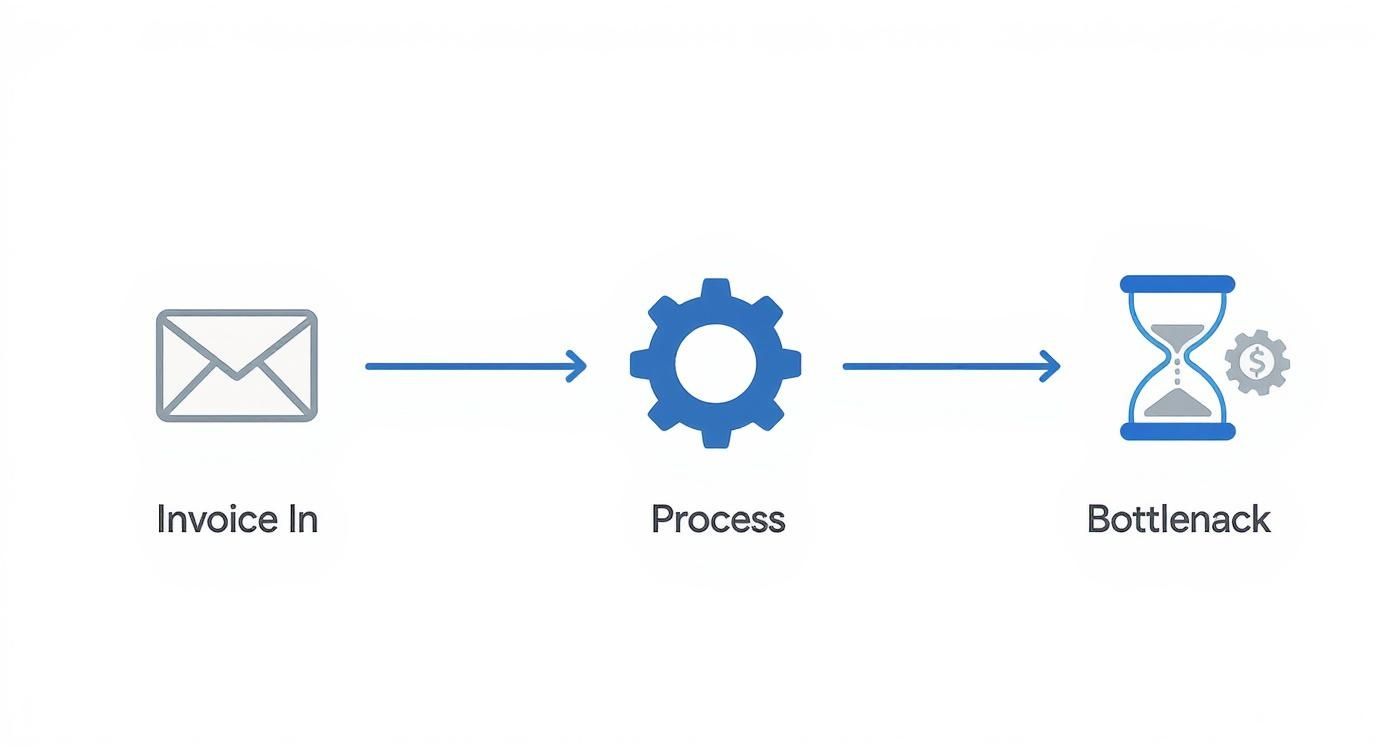
This kind of visualisation makes it obvious that the “process” stage is where the biggest delays happen… and that’s precisely where technology can make the most significant impact.
Comparing AP Automation Technologies
To make the choice a bit clearer, let’s put these options side-by-side. Seeing the pros and cons in one place can really help you decide what fits your company’s reality. A critical first step is making sure your core system can support these tools; this guide to the best accounting software for small business in Australia is a great resource for evaluating what’s out there.
| Technology | What It Actually Does | Best For | Potential Downside |
|---|---|---|---|
| RPA (Robotic Process Automation) | Mimics human clicks and keystrokes to automate repetitive, rule-based tasks. | High-volume, predictable data entry and system-to-system data transfers. | Brittle. If a website button moves or a process changes slightly, the bot breaks. |
| IDP with OCR | Scans invoices, extracts key data (like supplier name, date, total), and inputs it digitally. | Businesses getting lots of PDF or paper invoices in different formats. | Can struggle with handwritten notes or very complex, messy layouts. |
| AI / Machine Learning | Learns from historical data to make intelligent decisions, like suggesting GL codes or flagging unusual invoices. | Complex approval workflows, fraud detection, and achieving high levels of touchless processing. | Requires good, clean historical data to learn from effectively. It’s not a magic wand for messy data. |
Seeing them laid out like this makes it clear that there’s no single ‘best’ technology.
The goal isn’t to find one perfect tool. Often, the most powerful solution is a blend. You might use OCR to digitise an invoice, RPA to enter it into a legacy system, and AI to approve it. Don’t feel you have to pick just one.
Ultimately, the right choice comes back to the workflow map you created. Where are your biggest headaches? Start there. If it’s the endless, mind-numbing data entry, then RPA or IDP could be a quick and effective win. But if your main challenges are complex approvals and coding errors, leaning into an AI-driven solution will likely be the smarter long-term play.
Building Your New Automated Workflow

This is it. This is the moment your plan starts to become a reality. We’re moving from diagrams on a whiteboard and good intentions to a tangible, working system that’s actually going to make your life easier.
It can feel like a huge task, I know. But we’re going to break it down into manageable pieces.
Think of it like building with Lego. You don’t just tip the whole box out and hope for the best. You start with the base, build up the walls piece by piece, and follow a plan. That’s exactly what we’re going to do here.
Designing the Digital Flow
First things first, let’s sketch out the new path for an invoice. We’re not just paving over the old, bumpy road; we’re building a brand new highway.
- Invoice Capture: How will invoices get into the system? The goal is to eliminate manual entry. This usually means setting up a dedicated email address where suppliers can send their PDFs. The system will then automatically grab the attachment and start its work.
- Data Extraction: Once the invoice is in, the tech you’ve chosen (like OCR or an AI tool) will read it. It’ll pull out all the key details—supplier name, ABN, invoice number, due date, and line items. The dream is to have this happen instantly and accurately.
- Approval Logic: Who needs to approve what? This is where you can get really smart. Instead of a single, slow approval chain for everything, you can set rules. For example, any invoice under $1,000 from a regular supplier might be approved automatically. A larger, unexpected expense would get routed to the department head for a closer look.
- Payment Trigger: Finally, once an invoice is fully approved, it should automatically be queued for payment in your accounting system. No more manually creating payment batches.
This isn’t just theory; Australian businesses are actively making these changes. A recent report on accounts payable leadership priorities found that digital transformation is a top focus. In fact, 61% of leaders identified automation as a key investment area. It showed that 58% are looking to automate data entry, while 47% are targeting approval workflows. It’s clear that building a smarter flow is on everyone’s mind. You can discover more about these industry trends in the Accounts Payable Leadership Priorities Report.
The Critical Role of Integration
Here’s a piece of advice I can’t stress enough: your new automation tool is useless if it doesn’t talk to your existing systems. It’s like having a brilliant new employee who doesn’t speak the same language as the rest of the team.
Integration is the bridge that connects your new AP automation software to your existing ERP or accounting platform. It needs to be seamless.
When an invoice is approved in your new tool, that approval needs to be instantly reflected in your main financial system. This isn’t a “nice to have.” It’s the absolute core of the whole operation.
Without a solid connection, you’re just creating another information silo and, ironically, more manual work to bridge the gap. That’s why understanding the ins and outs of connecting different software is so important. If you want to dive deeper, we have a helpful guide that explains the fundamentals of successful system integrations.
Building for People, Not Just Processes
It’s easy to get lost in the tech. But remember, real people have to use this system every day. If the new approval process is confusing or feels like it adds extra clicks, your team will find ways to work around it. I’ve seen it happen.
A common mistake is designing approval chains that are too rigid. What if a manager is on leave? Does the whole process grind to a halt?
You need to build in flexibility. A good system should allow for:
- Delegated Authority: Let managers nominate a backup approver when they’re out of the office.
- Clear Escalation Paths: If an invoice sits unapproved for more than a couple of days, it should automatically be flagged or escalated to someone else.
- Handling Exceptions: There will always be weird invoices. The ones with no purchase order, or from a one-off supplier. Your workflow needs a clear, simple path for handling these exceptions without derailing the entire process.
Building a great automated workflow is half about the tech and half about understanding human behaviour. Get both right, and you’ll create something that’s not just efficient, but that your team actually enjoys using. If you’re looking for help designing and implementing these kinds of smart solutions, our AI agency specialises in making automation work for real-world business challenges.
Going Live: The Rollout and Team Adoption
You’ve done the hard work. The new, automated workflow is built, tested, and ready to go. The temptation to just flick the switch and watch your AP problems melt away is immense.
I know the feeling. But trust me on this, hold that impulse for just a moment.
Right now, rigorous testing is your most valuable asset. Pushing a new system live without a proper shakedown is like trying to drive a new car off the lot without checking the brakes. It’s a risk you simply don’t need to take.
Start Small With a Pilot Program
Instead of a high-risk, big-bang launch, the smarter play is to run a small pilot program. Think of it as a full dress rehearsal, but with a safety net.
Choose a handful of your most trusted suppliers—maybe three to five that you have a solid relationship with and who send consistent, predictable invoices. Get in touch and let them know you’re trialling a new system designed to make payments faster and more accurate. Ask if they’d be willing to participate. In my experience, most are more than happy to help out.
This controlled test is where you’ll find the gremlins. These are the little quirks and issues you never could have anticipated in the design phase. Perhaps the system struggles with a specific invoice layout, or an approval notification consistently lands in someone’s spam folder. These are precisely the kinds of kinks you want to iron out with a handful of invoices, not hundreds.
The Critical Role of Change Management
Let’s talk about what is, without a doubt, the most crucial part of this entire project. It’s not the technology; it’s the people.
Here’s a spoiler: not everyone is going to love this change, even when it’s clearly for the better. You’ll have team members who are comfortable with the old way of doing things, no matter how clunky it was. You’ll have sceptics convinced this new system will just create more work for them.
Winning these people over is everything.
You can’t just fire off a memo on Friday afternoon announcing the new process starts on Monday. That’s a surefire recipe for resentment and failure. The key is to bring them on the journey with you.
Start by clearly communicating the ‘why’. Don’t just rattle off efficiency metrics. Talk about what this change means for them on a personal, day-to-day level.
Frame it in human terms. Explain that the goal is to eliminate the tedious, repetitive parts of their job—the mind-numbing data entry, the endless chasing of approvals. This isn’t about replacing them; it’s about elevating their roles so they can focus on more valuable, strategic work.
This isn’t just a local trend, either. The move to automate accounts payable process solutions is happening on a global scale. The market was valued at USD 6.7 billion in 2023 and is projected to skyrocket to USD 30.5 billion by 2032. You can read the full research on this explosive growth to see just how central this shift is becoming for businesses everywhere.
Training That Actually Sticks
Your training sessions are your best opportunity to turn sceptics into advocates. Don’t just do a feature dump, clicking through every button and menu. The training needs to be practical and role-specific.
- For the AP Team: Concentrate on how the new system handles exceptions. Show them how they can now manage the process rather than being buried under it.
- For Managers: Make it about them. Show them how easy it is to review and approve an invoice from their phone in 30 seconds, instead of digging through a cluttered inbox.
- Create ‘Champions’: In any team, you’ll find one or two people who are genuinely excited about the change. Train them first and empower them to become the go-to experts for their colleagues. Peer-to-peer support is often far more effective than top-down instruction.
Measuring What Matters
Finally, how do you prove that all this effort was worthwhile? You need to measure your success with the right Key Performance Indicators (KPIs). This isn’t just for a report to management; it’s to show the team that their hard work and adaptation are delivering real results.
Start by tracking a few simple but powerful metrics:
- Invoice Processing Time: How many days does it take from the moment an invoice is received to when it’s paid? You should see this number drop dramatically.
- Cost Per Invoice: Do the maths. Calculate the staff time and associated costs of processing a single invoice before and after automation.
- Early Payment Discounts Captured: Are you now consistently catching those discounts you were missing before? This is pure ROI you can take straight to the bank.
- Team Feedback: Don’t forget the qualitative side. Ask your team how they feel. Is their work less stressful? Do they feel more productive and engaged?
Launching a new system is so much more than just flipping a switch. It’s about careful testing, thoughtful communication, and bringing your people along for the ride. Get this part right, and you’re not just implementing new software—you’re fundamentally improving how your business operates. If you’d like an experienced partner to help guide this critical transition, our AI agency has helped many businesses navigate this exact process.
Fine-Tuning Your AP Automation After Go-Live

You did it. The new automated AP system is live and running. That’s a massive milestone, so take a moment to acknowledge that win with your team.
But the journey doesn’t end the day you flip the switch. In fact, this is where the real value starts to emerge. It’s best to think of your new system not as a finished product, but as a powerful engine you can continually tune for even better performance.
No system is perfect on day one. The real magic happens when you start digging into the data it generates, looking for opportunities to squeeze out even more efficiency. This isn’t about wrapping up the project; it’s about shifting into a mindset of continuous improvement.
From Managing to Mastering
Your team’s role has fundamentally changed. Instead of being bogged down by manual data entry, they’re now the supervisors of a sophisticated process. This means their skills need to evolve right along with the technology.
It’s no longer about keying in numbers; it’s about analysing the data.
The most valuable thing you can do now is regularly review the system’s performance dashboards. Look for patterns. Are invoices from a particular supplier constantly getting flagged for manual review? That’s not a system failure—it’s a data point. It’s a clear signal to work with that supplier to standardise their invoicing format.
This shift from reactive problem-solving to proactive process optimisation is the true endgame when you automate the accounts payable process. Your team transforms into a strategic asset, using their expertise to strengthen supplier relationships and improve data quality right at the source. If you’re keen to explore the broader mechanics of data management, our guide on automated data processing offers some fantastic insights.
Keeping the Engine Running Smoothly
Finally, a bit of practical advice on maintenance. Just like any high-value piece of equipment, your automation platform needs regular check-ups to perform at its best.
- Review Workflows Quarterly: Business needs change, and so should your workflows. Check in every few months to make sure your approval hierarchies and business rules still align with how you operate.
- Stay on Top of Updates: Your software provider will release patches and updates. These aren’t just nice-to-haves; they often contain crucial security improvements and new features that can deliver real value.
- Prioritise Ongoing Training: As new people join the team, ensure they get proper training on the system. It’s vital to build a culture where mastering this tool is a core competency for the finance department.
You’ve made the difficult journey from drowning in paperwork to running a sleek, modern AP function. Now the focus is on optimisation and mastery.
Your AP Automation Questions, Answered
Alright, let’s tackle a few of the common questions that pop up whenever we talk about how to automate the accounts payable process. These are the practical, “what if” thoughts that often come up once you start seriously considering this kind of change.
How Long Does This Whole Thing Take?
This is the big one, isn’t it? And the honest answer is… it depends. I know that’s not what you want to hear, but it’s the truth. A simple, out-of-the-box solution for a smaller business could be up and running in a matter of weeks.
For a larger enterprise with a complex ERP and custom approval workflows, you might be looking at a few months to get everything designed, integrated, and tested properly. The key isn’t speed; it’s getting it right. A rushed job just creates bigger headaches later.
What If We Have Lots of Non-Standard Invoices?
This is a really common concern, especially for businesses that deal with lots of smaller suppliers or contractors. The good news is that modern AI is surprisingly good at this.
While older OCR systems needed very neat templates, today’s AI can often figure out weirdly formatted invoices. For the truly tricky ones, the system will flag them for a quick human review. You’re not aiming for 100% hands-off automation on day one; you’re aiming to eliminate the 80-90% of repetitive work, which is still a massive win.
Think of it this way: your team’s time shifts from mind-numbing data entry on every single invoice to just managing the few exceptions. It’s a complete change in focus from manual labour to process oversight.
At Osher Digital , we help businesses navigate these questions every day. If you’re ready to move from wondering to doing, our AI agency can build a solution that fits the reality of your operations.
Last updated on July 1, 2026
Continue Reading
View all
n8n Outlook Automation: Where the Node Stops and Graph Begins
n8n Outlook automation breaks in predictable places: subfolders, attachments, shifting email IDs, plus the Graph API workarounds we run in production.
Mar 16, 2026

What Is a Workflow? Definition, Parts, and What Breaks
A workflow is the repeatable set of steps that takes a task from start to finish. Here is what a workflow is made of, and the parts that quietly break.
Mar 1, 2026

Aussie Guide to Marketing Automation for Small Business
Imagine having an extra team member who works around the clock, remembers every customer's name and history, and never once asks for a day off. That is the real power of marketing automation, and it is a complete game changer for small businesses. At its core, marketing automation is just software designed to handle routine […]
Dec 11, 2025
Sick of reading about automation?
Book a free 15-minute intro call. We’ll talk through what you’re trying to automate and whether we’re a good fit.