Process Documentation Template: What Belongs and What Doesn’t
The process documentation template we use with clients, plus what to leave out. The mistakes that make most documentation rot within six months.
By Matthew Clarkson · May 30, 2025

Updated May 2026. Rewritten as the template we actually use with clients, with what to include, what to cut, and the maintenance habits that stop documentation rotting within six months.
Most process documentation rots. A team writes 40 pages of carefully structured SOPs, files them in a SharePoint folder nobody opens, and six months later the process has drifted, the doc is wrong, and everyone is back to asking the same three people the same questions. The template is not the problem. The shape and the maintenance pattern are.
At Osher Digital we are a Brisbane-based automation consultancy. Before we automate a process, we document it. Properly documented processes are the boring prerequisite to anything we ship, and they are the deliverable clients keep referring to long after the automation has been running for a year. The template below is the one we use. It is shorter than most. The shape is intentional.
This article covers what process documentation is genuinely for, the eight sections we include and why, what we deliberately leave out, where most templates go wrong, the format and storage choices that matter, and how to maintain the doc so it stays trustworthy past the first quarter. If you want the more analytical sibling of this template (used in a redesign rather than a “how this works today” doc), see our business process analysis template. For where this fits into a broader automation program, see our automation roadmap article.
What Process Documentation Is Actually For
If you cannot say in one sentence why this doc exists, do not write it. The four legitimate reasons we write process documentation for clients:
- Training a new person. They join, they need to run this process by Friday, the doc tells them how.
- Operational handover. The person who knows the process is going on leave or leaving the business. The doc has to carry the knowledge across.
- Audit evidence. Someone external (ISO, SOC 2, the ATO, a clinical accreditation body) needs to see that the process is defined and followed.
- Automation scoping. We are about to build an automation against this process and we need to make sure the human steps are stable enough to encode.
Three things process documentation is not for: signalling that “we are a mature company”, filling a SharePoint folder for the sake of it, or generating compliance optics with no actual operational use. If you find yourself writing for one of those reasons, you will produce a doc nobody reads. That is a worse outcome than no doc at all because it pretends the knowledge has been captured.
The Template Structure: Eight Sections That Earn Their Place
The template we run is eight sections. No more. Anything beyond this is either restating what is above or padding.
1. Purpose and Scope
Two short paragraphs. The first says what this process produces and for whom. The second says what it explicitly does not cover, with links to the documents that cover the adjacent processes. Scope is the most-ignored section and the one that prevents the most confusion later.
2. Trigger and Inputs
What causes this process to start. An email arrives. A schedule fires. A customer phones. Be specific. “When required” is not a trigger. “On the 25th of each month” is. List the inputs (documents, systems, information) the operator needs to start work.
3. The Steps
Numbered. Each step has a verb at the start, the system or screen where it happens, and the specific action. “Open Xero. Go to Business > Bills to pay. Click New Bill. Enter the supplier name; Xero will autocomplete.” This is the bulk of the doc. Keep each step to one or two sentences. If a step needs more than that, it is probably two steps.
4. Decisions and Branches
Where the process branches based on input. “If the invoice is for over $5,000, route to the CFO for approval. Otherwise route to the line manager.” Branches are where unwritten knowledge lives. Capture them explicitly. If you cannot articulate the rule, you cannot automate it, and you cannot train a new person to do it.
5. Exceptions and What to Do When Things Are Weird
The list of cases where the standard process does not apply, and what to do when each one happens. Foreign currency invoice arrives when the AP team only handles AUD. Customer pays without a reference. Supplier sends a credit note attached to the invoice. This section is short on day one and grows over the first six months as the team encounters real edge cases. That is correct; that is the section doing its job.
6. Roles and Handoffs
Who does what. A small RACI is fine if the process spans multiple people. If it is a one-person process, this is one sentence. The trap is over-engineering this section; we have seen 12-person RACI tables for processes that are run by one person and reviewed by their manager. Keep it proportional.
7. Systems and Access
The systems the process touches, the access level each role needs, and where the credentials live. We mention the password vault (1Password, Bitwarden, whatever the org uses) by name. We do not put credentials in the doc itself. Anyone reading this doc should be able to figure out what access they need to request to perform the process.
8. Owner, Review Cycle, and Version
Who owns this doc, when it was last reviewed, when it is next due for review. A doc that is two years old without a review note is untrustworthy by default. We use a six-month review cycle for most processes and a quarterly cycle for processes where the underlying systems are changing fast.
What We Cut From Most Templates
The sections we routinely remove when we inherit somebody else’s process documentation:
“Background and history.” Nobody reads this. The doc is for running the process, not explaining how it came to be. If the history matters, write it once in a separate strategy document.
“Glossary of terms.” Define terms inline the first time you use them. A separate glossary at the bottom forces the reader to scroll, which they will not do.
“Continuous improvement plan.” This belongs in the management process for the function, not in the SOP for a specific task. The SOP is about what happens today; the improvement plan is about what we want to change.
“Detailed flowcharts for processes with three steps.” A numbered list is more readable. Flowcharts earn their place when there are multiple branches that need to be visualised together. Otherwise they are decoration.
“Approval signatures section.” If approvals matter, capture them in the system of record (the ticketing tool, the version control system on the doc). A signature block on page one is performative.
“Marketing-style introduction.” The doc does not need to sell itself. The first line should be the purpose statement. Anything before that is throat-clearing.
Where Documentation Goes Wrong
The failure patterns we see when we audit a client’s existing process documentation:
Written by the wrong person. An external consultant writes the doc, the team that operates the process does not. Six months later the process has drifted, the consultant is gone, and the team does not feel ownership of the doc. The fix is to make the operator the author and the manager the reviewer. The consultant facilitates and edits.
Written to too much detail. An SOP that includes a screenshot of every button click is unreadable. It also breaks the moment the vendor changes their UI. Write to a level that survives a minor UI refresh. “Click the ‘New Bill’ button” is fine; the screenshot is overkill.
Written for the wrong reader. An SOP for AP that assumes the reader knows accounting principles. A new graduate joining the team does not know what a tax invoice has to contain. Write to the level of the least experienced person who will reasonably run this process.
Filed where nobody can find it. Documents are only useful if people can find them when they need them. The single biggest improvement to most documentation programs is moving everything to a single searchable platform with a flat-enough structure that you can find a doc in two clicks.
No clear owner. If nobody owns the doc, nobody updates it. Assign an owner with a named human. “The Finance Team” is not an owner. “Sarah, AP Lead” is.
Format: Markdown, Word, or Notion?
Our default for clients is Notion or Confluence. The reasons: linkable, searchable, easy to update, supports inline images and embedded video without becoming a 40MB Word file. Permissions are decent. Version history is automatic.
Word is fine if the organisation is committed to a Microsoft 365 environment and SharePoint as the document layer. The trap is the binary file model; Word docs sitting in OneDrive get edited by ten people, branched accidentally, and end up in three subtly different states. SharePoint version control helps but the user habits do not always match the tool.
Plain markdown in a Git repo is the right call for engineering teams documenting code-adjacent processes. Pull request workflow for changes, history is automatic, the whole thing is grep-able. Most non-engineering teams will not adopt this; do not push it on them.
The format matters less than the discipline. A well-maintained Word doc beats an abandoned Notion page every time.
Naming, Storage, and Discoverability
A doc nobody can find is the same as a doc that does not exist. Our conventions:
- File names start with the process verb, not the department. “Process invoice from supplier”, not “Finance – AP – Invoice processing v3 final FINAL”.
- One canonical home per doc. If the doc lives in Notion, do not also keep a stale copy in SharePoint. Pick one place.
- A flat index page or table that lists every process doc with its owner and last-reviewed date. This is the page people land on.
- Search has to work. Most organisations have a search problem more than a documentation problem. Glean, Notion search, and Confluence search are all decent in 2026; SharePoint search has improved but still benefits from explicit tagging.
An undervalued habit: when someone asks a question that is answered in a doc, send them the link to the doc instead of the answer. This trains the org to look for the doc first.
Maintenance: The Six-Month Rot Problem
The hardest part of process documentation is keeping it true. Process drifts. Systems change. People leave. A doc that was accurate in February might be lying by August. Without a maintenance habit, every doc decays into a museum piece.
What works for us:
A six-month review cycle on the calendar. The owner gets a reminder. They re-read the doc, confirm it is still accurate, and either update or sign off. This takes 20 minutes per doc. It happens every six months without fail or the program dies.
Update the doc when you change the process, not after. If the AP team adds a new approval threshold, the doc is updated that day, not in the next quarterly review. The discipline of “doc-when-you-decide, not later” is the single highest-impact change for a documentation program.
A change log that real humans read. Two lines per change. “12 Feb 2026 – added approval threshold for capex over $20k – SG”. Not a 40-line audit trail. Just enough to see what has moved.
A 12-month freshness audit. Once a year, the function head reviews the list of docs and the last-reviewed dates. Anything more than 12 months stale gets escalated. The audit takes an hour and surfaces the docs that have quietly died.
If you are short of capacity for this maintenance, write fewer docs, not more. Three trustworthy docs beat thirty stale ones.
When This Template Is Overkill
The cases where the full template is more than the process needs:
A one-person, one-system process. A 50-word note plus a screen recording is enough. Do not write eight sections for “how I reconcile the petty cash”.
A process that runs less than once a quarter. A checklist in the calendar event for the next time it runs beats a separate document. The doc will be stale by the time anyone reads it.
A process you are about to automate. Document the as-is enough to scope the automation, then document the to-be once the automation is live. Do not maintain two documentation versions during the build; you will only update one.
A process that is not stable yet. If the team is still figuring out how to run a new function, fix the process before documenting it. Documentation on a moving target is wasted effort. Book a call if you want a second pair of eyes on whether your process is settled enough to formalise.
Frequently Asked Questions
What is a process documentation template?
A structured outline for capturing how a recurring business process runs. Our version is eight sections: purpose and scope, trigger and inputs, steps, decisions and branches, exceptions, roles and handoffs, systems and access, and owner and review cycle. The template is short on purpose; long templates produce unread documentation.
How long should process documentation be?
One to four pages for a typical operational process. A simple weekly task can be a page. A complex multi-team process with branching might run to four. Anything beyond six pages is almost certainly two or three processes that should be split into separate docs. Length is not a quality signal.
Should we use BPMN flowcharts or written steps?
Written steps for most processes. Flowcharts when the process has multiple branches that need to be visualised together (a customer onboarding with credit-check, deposit, and approval branches benefits from a flowchart). Pure BPMN with swimlanes is overkill for most operational processes and almost no one outside the BA who drew it will read it correctly.
Who should write process documentation?
The operator. Not the manager, not the consultant. The person who runs the process knows where the unwritten exceptions live and is the one who has to keep the doc accurate after the consultants leave. The manager reviews and signs off; the consultant facilitates and edits if needed.
How much does process documentation cost?
Done internally, one to two hours of the operator’s time per process plus 30 minutes of the manager’s review time. Done with consultant facilitation, $400 to $1,500 AUD per process depending on complexity. Documenting an entire function (say, finance) typically costs $8,000 to $25,000 AUD as a one-off engagement. The bigger ongoing cost is maintenance, which lives with the team.
What software should we use for process documentation?
Notion or Confluence for most clients. Word and SharePoint if the org is fully on Microsoft 365 and the team will not adopt anything new. Markdown in a Git repo for engineering-led organisations. Avoid dedicated “process management” platforms (Process Street, Tallyfy, SweetProcess) unless you genuinely need workflow execution from the doc; most teams need a wiki, not a workflow engine.
Can AI write our process documentation for us?
AI helps with structure and editing but cannot capture the unwritten exceptions and branches that are the real content. The workflow that works: the operator dictates or screen-records the process, an LLM (we use Claude Sonnet 4.5) turns the transcript into a structured first draft, the operator and manager edit it down to the truth. The AI removes the writing pain; it does not remove the knowledge transfer work.
How often should we review process documentation?
Every six months for stable processes. Quarterly for processes where the underlying systems are changing fast (anything with vendor API dependencies, anything tied to a recently-implemented system). Plus an immediate update whenever the process changes, captured the day of the change, not in the next scheduled review.
If you have a documentation program that is not pulling its weight, or you are scoping the process documentation needed before an automation build, get in touch with our team. We help operations and finance teams build documentation that survives past the first quarter.
Last updated on July 1, 2026
Free tool · 2 minutes
Automation ROI Calculator
See what a manual process is really costing you, and the payback on automating it.
Continue Reading
View all
Rented software was always a compromise. AI has ended it.
Off-the-shelf software made sense when custom cost $250,000. AI-assisted development changed the maths. Why we now build software around the business, AI-first, and connected to Claude and ChatGPT, starting at $15k.
Aug 6, 2026
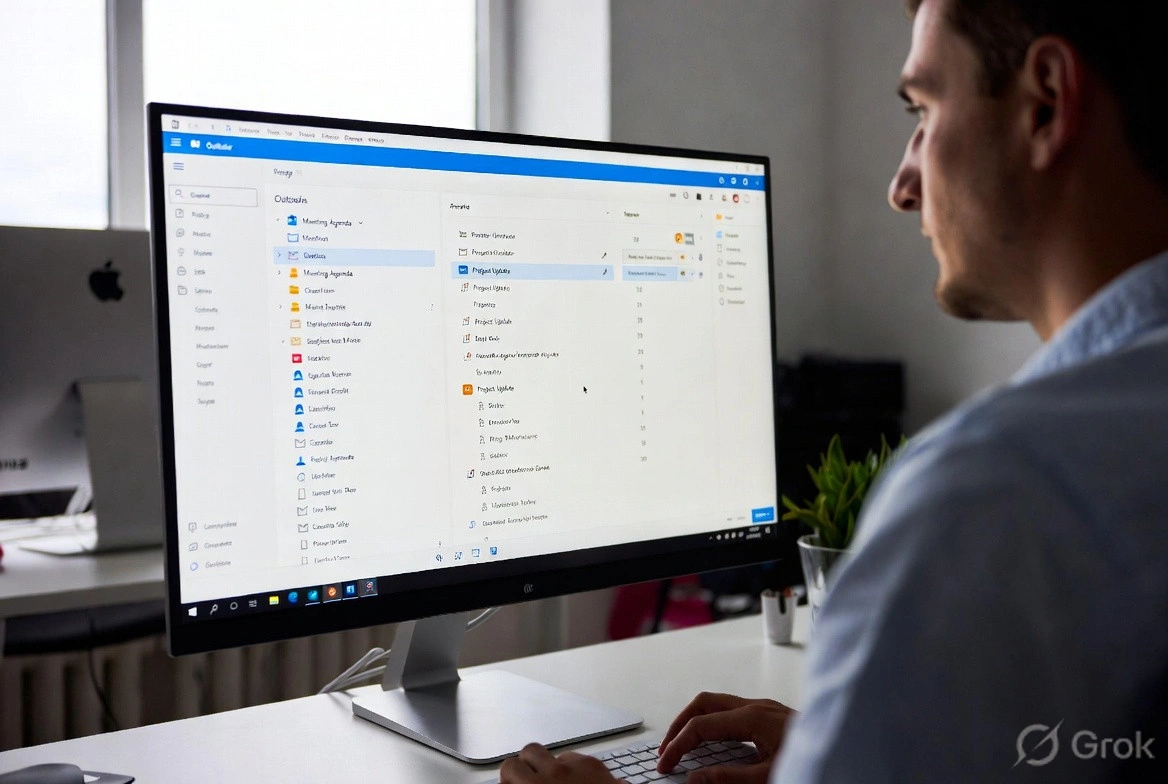
n8n Outlook Automation: Where the Node Stops and Graph Begins
n8n Outlook automation breaks in predictable places: subfolders, attachments, shifting email IDs, plus the Graph API workarounds we run in production.
Mar 16, 2026

What Is a Workflow? Definition, Parts, and What Breaks
A workflow is the repeatable set of steps that takes a task from start to finish. Here is what a workflow is made of, and the parts that quietly break.
Mar 1, 2026
Sick of reading about automation?
Book a free 15-minute intro call. We’ll talk through what you’re trying to automate and whether we’re a good fit.