What Is Semantic? A Comprehensive Guide for 2026
What is semantic and why does it matter for your business? Understand semantic tech, from AI to search, for enterprise automation.
By Matthew Clarkson · July 17, 2026

Your systems probably already “talk” to each other. They send fields, files, status codes, and API responses back and forth all day.
And yet, they still misunderstand each other.
A sales platform marks an account as hot. The finance system only sees a customer ID. The warehouse platform sees a SKU change but not the reason behind it. Your team ends up doing the translation manually, usually in spreadsheets, inboxes, and follow-up meetings.
That gap is where a lot of modern automation stalls. The data exists, but the meaning doesn't travel with it. If you've been asking what is semantic, the useful business answer is simple. It's the layer that helps systems understand context, relationships, and intent instead of just storing labels.
What Semantic Really Means for Your Business
A common example looks harmless at first.
Your sales rep logs a note that says, “Client wants to move ahead next month if stock is available.” The CRM stores that note perfectly. No problem there. But your inventory system doesn't know that “move ahead” suggests likely demand, and your planning software doesn't connect “next month” with a probable order window.
So the information is present, but it's trapped in separate boxes.

Meaning is the missing translator
For business, semantic means giving systems the ability to work with meaning, not just raw text or field names. It's the difference between a clerk who copies words into the right column and a colleague who understands what those words imply.
A simple analogy helps. Think of two people translating between English and Japanese. One uses a pocket dictionary and swaps words one by one. The other understands tone, context, and what the speaker is trying to achieve. Semantic technology aims for the second kind of translation.
That's why a semantic layer matters in automation. It helps a system recognise that:
- A customer and a client may refer to the same business entity
- An invoice total is not the same as a purchase order limit
- Urgent, in one workflow, should trigger a different path than routine
- Likely to order is commercially meaningful even if no formal order exists yet
Practical rule: If your team spends time “explaining what this field really means” across departments, you have a semantic problem, not just a data problem.
This idea is older than modern AI
The word itself has deep roots. The term “semantics” was first introduced as a distinct linguistic discipline in 1883 by French philologist Michel Bréal, establishing a formal study of meaning that predates modern computers by decades (Dataversity on the history of semantics).
That history matters because it reminds us this isn't a trendy AI label. It's an old idea being applied to a very current headache. Legacy and modern systems can exchange data all day and still fail to understand each other. Semantic thinking tackles that exact gap.
Understanding the Core Idea of Semantics
People often confuse syntax and semantics because both deal with language and structure. The distinction is straightforward once you see it in action.
Syntax is about arrangement. Semantics is about meaning.
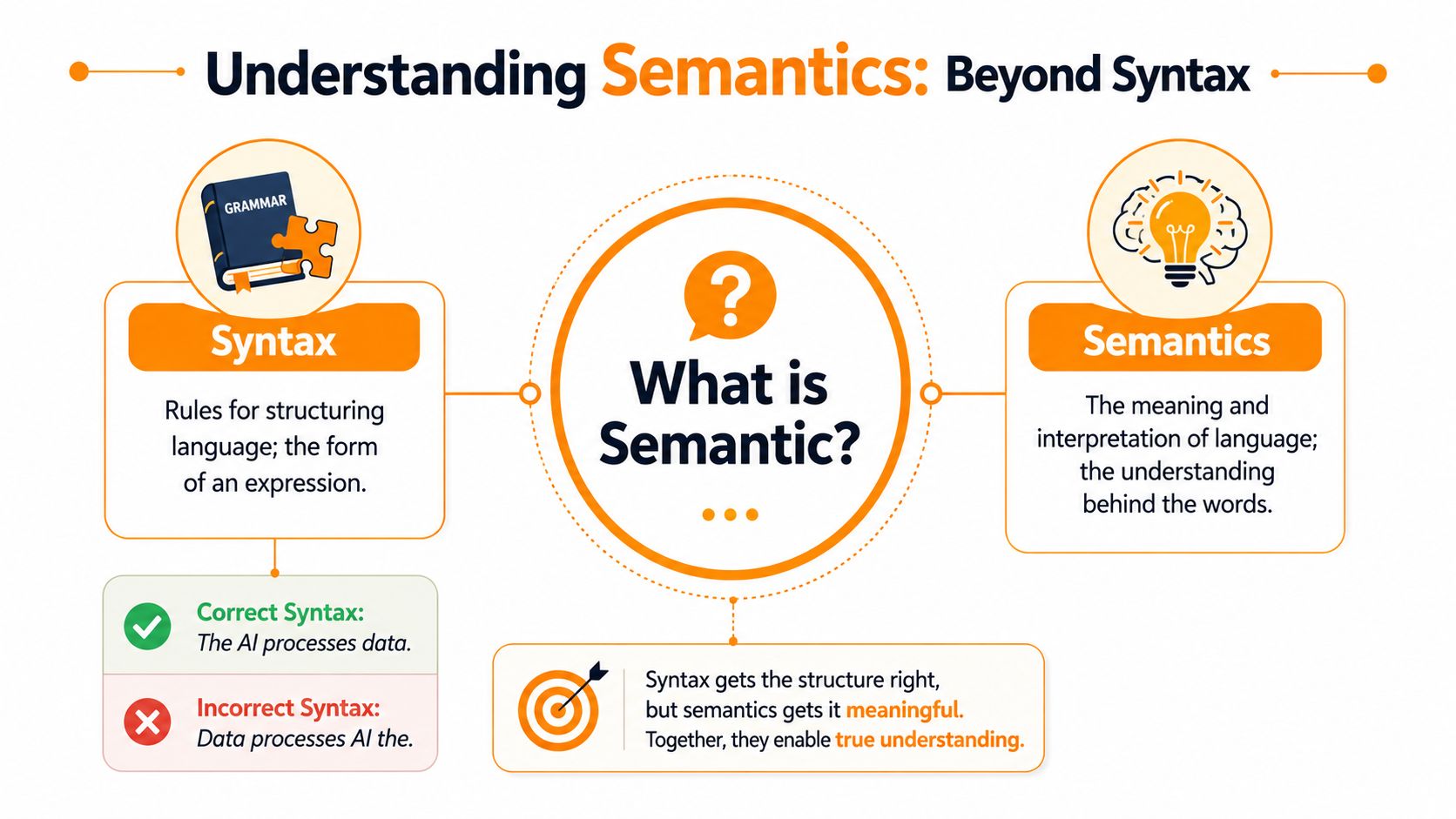
Syntax is the shape
Take these two examples:
- The dog chased the cat.
- The cat was chased by the dog.
The wording is different. The structure is different. But the meaning is the same.
That's the easiest way to answer what is semantic. It's the part that notices the two sentences point to the same real-world event.
Computers have handled syntax for a long time. They're good at recognising patterns, positions, and rules. They can tell whether a field contains a date, whether a sentence is grammatically complete, or whether a form is missing a required value.
But syntax alone doesn't get you very far in business operations.
Semantics is the understanding
A finance tool may receive these labels from different systems:
| Phrase from system A | Phrase from system B | Likely meaning |
|---|---|---|
| Customer | Account | Same business relationship |
| Amount due | Outstanding balance | Similar financial concept |
| Closed won | Approved order | Similar commercial outcome |
A syntax-driven system sees different labels. A semantic system asks whether the labels refer to the same concept.
That's why semantics matters so much for automation. If your systems only match exact terms, they'll miss obvious connections. If they understand meaning, they can join the dots the way a human operator would.
A system that understands semantics doesn't just read words. It reads what the words are doing.
Why this matters for AI workers
This is one reason many teams are now spending more time understanding AI employees. The useful distinction isn't whether a tool can generate text. It's whether it can interpret a task in context, connect it to business entities, and act consistently across systems.
That requires semantics.
Without it, an AI assistant may respond fluently but still mishandle the job. It might treat “pause billing”, “hold account”, and “temporary stop” as unrelated requests even though your operations team knows they point to the same intent.
A simple test
If you want to spot the difference inside your own business, ask:
- Can the system recognise the same meaning across different wording?
- Can it connect a phrase to a business concept, not just a text string?
- Can it infer intent well enough to choose the right workflow?
If the answer is no, then the system is probably handling syntax well enough but missing semantics.
How Semantic Technology Actually Works
The phrase can sound abstract, but the mechanics are fairly practical. Semantic technology gives machines a way to connect words, records, and events to business meaning.
At a high level, it usually combines three things. A way to read language. A way to model relationships. A way to represent similarity so the machine can see that related ideas belong near each other.
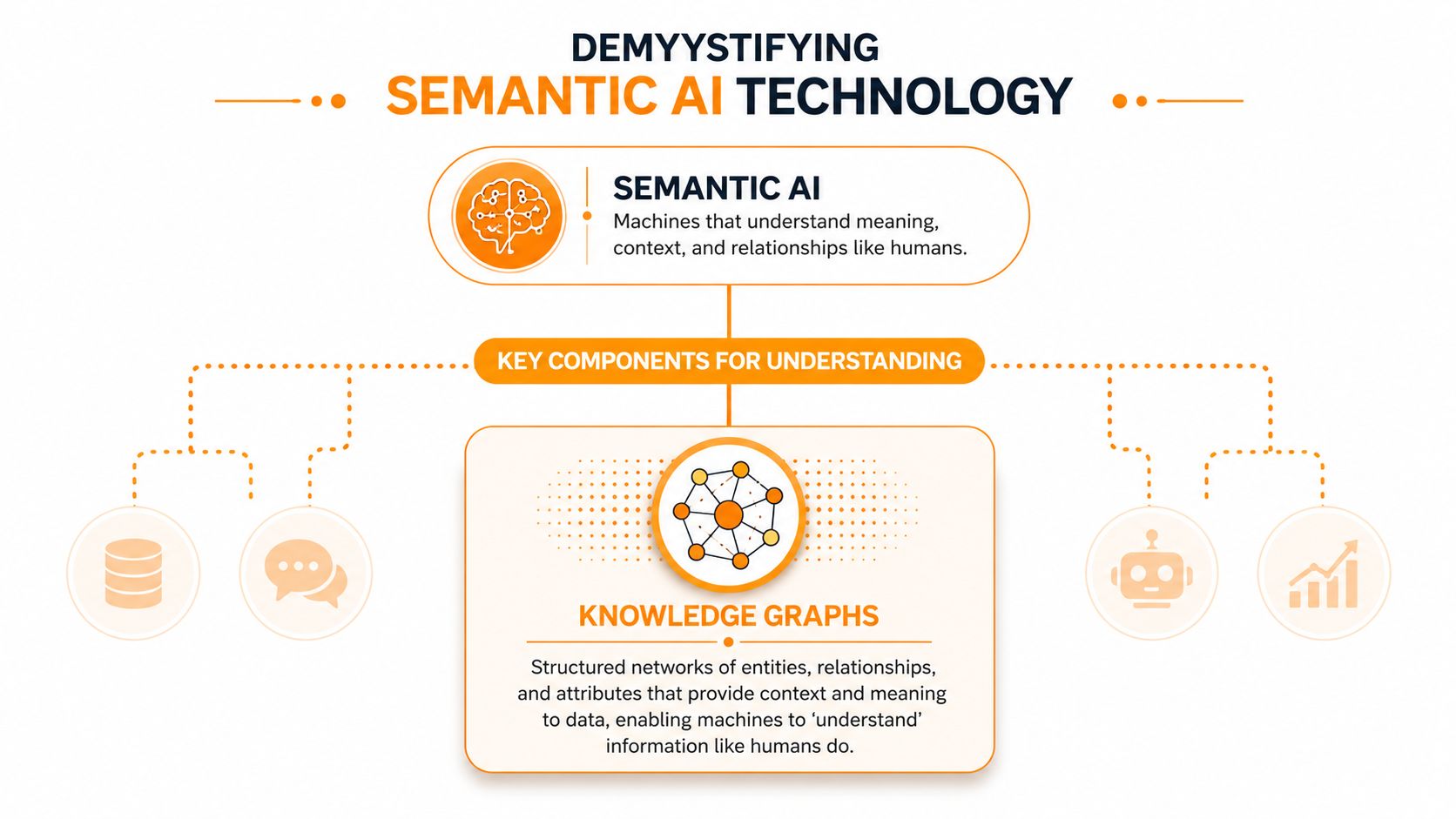
Knowledge graphs are the business map
A knowledge graph is like a business map with named places and clear roads between them.
Instead of keeping “customer”, “invoice”, “product”, and “contract” in isolated tables with only technical joins, a knowledge graph stores the relationships in a more meaningful way. It can show that a customer placed an order, the order contains products, the products sit in a warehouse, and the invoice relates to that order.
That matters because machines can reason over relationships, not just rows.
A graph also helps with messy reality. One system might say “supplier”, another says “vendor”, and a third uses a code from an older ERP. The graph gives those labels a shared meaning.
NLP is the ears and mouth
Natural language processing helps the machine deal with human language in email threads, support tickets, contracts, PDFs, and notes. Semantic technology processes content using techniques like text mining, entity extraction, and concept analysis to understand what something represents, capturing intent and context so systems can understand the meaning behind data or actions (Decidr glossary on semantic technology).
That's why a semantic system can read “Please hold shipment until revised PO arrives” and treat it as a workflow signal, not just a sentence.
A related area you may find useful is Robotomail for AI agent email solutions, because email is one of the clearest places where business intent is buried inside unstructured language.
Here's a short overview of the broader idea in action:
Embeddings create neighbourhoods of meaning
Embeddings are a simpler idea than they sound. They turn words, phrases, or documents into numbers in a way that places related ideas near each other.
Think of a map where similar concepts live in the same suburb. “Invoice”, “bill”, and “payment request” might sit close together. “Warehouse transfer” would live somewhere else. That spatial closeness helps systems search, classify, and route information based on meaning.
Why this matters in operations
When these parts work together, the result is practical. A machine can read incoming content, connect it to entities and relationships, and then trigger actions across systems.
That's the basis of semantic automation in areas like automated data processing, where the challenge isn't only extracting data. It's understanding what that data means inside the business.
The Power of Semantic Search Explained
You use semantic search every day without thinking about it. You type a messy question into a search bar, and the system still works out what you mean.
That's a big step up from older search models that mostly looked for exact keyword matches. Semantic search in 2026 prioritises understanding the context and intent behind a user's query, using natural language processing to interpret meaning in a human-like manner rather than just matching keywords (Maven Marketing on semantic search in 2026).
Old search versus useful search
If someone searches “best coffee near central station”, a keyword engine hunts for pages containing those words. A semantic engine reads the actual goal. The user wants nearby cafes, probably with strong reviews, near a known place.
The same logic matters inside a business.
An employee searching “Q3 Acme contract with revised pricing” doesn't want documents that merely contain those words. They want the right contract, the correct version, and maybe the related approval thread too.
| Aspect | Keyword Search (The Old Way) | Semantic Search (The New Way) |
|---|---|---|
| How it reads a query | Looks for exact words | Interprets context and intent |
| Handling synonyms | Often weak | Better at connecting related terms |
| Results quality | Can return literal but irrelevant matches | More likely to return meaningfully relevant results |
| Internal business use | Hard to search across messy naming | Better for contracts, tickets, notes, and knowledge bases |
| SEO approach | Repeats target keywords | Builds around topics, entities, and relationships |
Why this changes content and systems
For public search, semantic thinking pushes businesses to organise content around entities and relationships rather than isolated keywords. For internal search, it pushes teams to organise documents, metadata, and system records around real business concepts.
Search gets better when your data is organised around meaning, not just labels.
If you want a plain-language companion on how this shift is affecting search tools, Busylike on AI search is a useful read.
A practical example
Say a procurement manager searches an internal portal for “late invoices from Sydney supplier with open dispute”.
A basic search might return any file with “invoice”, “Sydney”, or “dispute” in the text. A semantic search system is more likely to recognise the combination of supplier entity, payment status, dispute state, and location context. That's the difference between hunting and finding.
Practical Business Uses for Semantic AI
The value becomes obvious when you look at routine work that still relies on humans to interpret messy information.
A semantic system doesn't just move data from one place to another. It decides what the data means first, then moves it correctly.
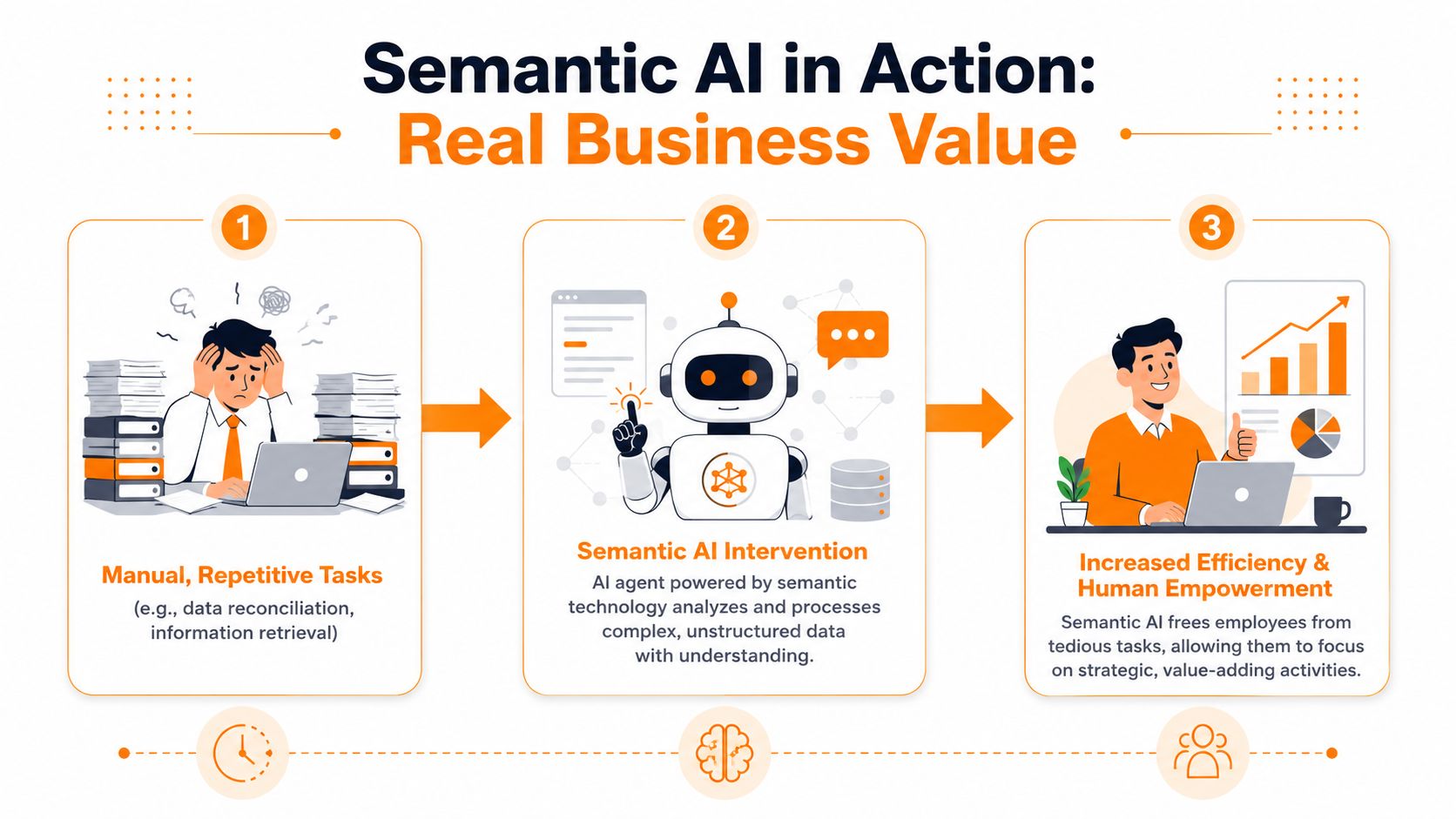
Invoice handling without the usual back and forth
A supplier emails a PDF invoice. A traditional workflow might extract text, but it can still stumble over layout changes, unusual wording, or fields that appear in different places.
A semantic agent can do more. It can identify the supplier name, due date, invoice amount, and purchase order reference by understanding each item's role in the document. It can then compare that meaning against records in procurement and finance systems.
If the amount differs from the approved purchase order, the workflow can flag it. If everything aligns, the system can move the invoice forward automatically.
Support routing that understands intent
Customer service is another strong use case. In computational semantics, mapping syntactic structures to their meaning allows machines to interpret intended context. When this fails, accuracy drops by 24–31% in Australian enterprise customer service automation benchmarks (Stanford HAI definition of semantic analysis).
That matters because customers rarely use neat, standard wording.
A message that says “I've been charged twice and no one has fixed it” should not land in a generic enquiries queue. A semantic model can connect that message to billing, urgency, and previous unresolved contact. A keyword-only router may miss the nuance.
Cross-system task routing
Semantics really helps with legacy environments. A request comes in through email, chat, or a portal. The system has to decide which team owns it, which application should update, and which records are related.
Benchmark data from the Australian Artificial Intelligence Institute shows that semantic-enriched AI agents achieve 92% accuracy in cross-system task routing versus 68% for non-semantic models (Ray Toal's semantics notes). That gap matters when one workflow touches CRM, ERP, ticketing, and finance in a single process.
Operational takeaway: If a workflow depends on interpreting business context before acting, semantic AI is usually a better fit than rule-only automation.
Teams exploring this path often look at AI agent development when they need agents that can interpret requests and operate across multiple systems rather than just follow fixed scripts.
Where it fits best
Semantic AI is often a strong match for:
- Finance operations where invoices, remittances, and approvals use mixed formats
- Sales support where notes, emails, and CRM updates hint at intent before a formal transaction exists
- Knowledge retrieval where staff need the right policy, contract, or case, not a pile of partial matches
The common thread is simple. The more your process depends on meaning, the less useful rigid field matching becomes.
Getting Started With Semantic Technology
A practical starting point looks more like this. A customer changes their company name in your CRM, the finance system still uses the old legal entity, and support logs the issue under a third label. The systems are all storing data, but they are not talking about the same thing in the same way. That is the entry point for semantic technology, especially in Australian enterprises trying to connect legacy platforms with newer cloud tools.
Start with one workflow where that confusion costs time every week.
Good pilots usually show up in places where staff already work around the system:
- Manual re-entry because two systems use different labels for the same customer, product, or case
- Internal search failures where the document exists but staff cannot find it with the words they naturally use
- Request triage problems where emails and forms need a human to interpret intent before work can start
- Document-heavy processes where contracts, PDFs, and notes contain the meaning, but the workflow only reads fields
A narrow pilot is easier to measure and much easier to fix.
The design work starts with meaning. A useful way to see it is as creating a shared glossary that machines can act on, not just people. Dataversity's explanation of business semantics describes it as reconciling terms and meanings across an organisation so computers can interpret data in ways that match human understanding.
That matters because old and new systems often describe the same business reality in different dialects. One platform says "client", another says "account", and a third stores the same entity under a billing code. Semantic technology helps map those labels to the same underlying concept, which is how automation stops breaking at system boundaries.
A simple first workshop often gets you further than a long software shortlist. Ask:
- What does "customer" mean in each system?
- Which labels refer to the same real-world entity?
- What should the system do when it recognises a refund request, address change, or contract renewal?
In mixed environments, context-rich areas usually make the best test cases. Customer service, finance operations, and internal knowledge retrieval are common examples because they expose meaning gaps quickly. Australia's National Digital Health Strategy defines semantic interoperability as the ability of systems to exchange data and interpret the meaning of received information. That same idea applies well beyond healthcare. If systems cannot interpret shared meaning, every handoff needs a person to translate.
Keep the pilot small enough to prove value. One queue. One document type. One handoff between two systems.
That approach lowers risk and makes results easier to judge. You can measure whether search improves, whether routing errors drop, or whether staff spend less time translating between systems.
If your environment includes old platforms, modern SaaS tools, and unstructured documents, outside guidance can help you avoid building another fragile layer of mappings and exceptions. A team with experience in AI consulting for legacy and modern system integration can help define the model, choose the pilot, and set up a test that reflects how your business operates.
The goal is straightforward. Give your systems a shared map of meaning, prove it on one workflow, and expand from there.
The Future Is About Meaning Not Just Data
A common Australian enterprise problem looks like this. The CRM says one thing, the ERP stores a slightly different version, a service platform uses its own labels, and staff spend their day translating between systems that should already agree. The underlying constraint is not a lack of data. It is a lack of shared meaning.
That is why semantics has moved from an academic idea to a practical business priority.
Semantics gives systems context. It helps software recognise that different terms can refer to the same customer, product, claim, or event. It helps a request get routed based on intent rather than a keyword match. It helps automation follow the business meaning of information, not just its format.
A useful way to see it is as a shared legend on a map. Without that legend, every team and every application reads the symbols differently. With it, legacy platforms, cloud tools, documents, and AI models can refer to the same business reality in a consistent way.
That matters most during modernisation.
Replacing an old platform does not fix misunderstanding by itself. If the new stack still interprets customer records, case statuses, or policy terms differently from the old one, the business keeps paying the same translation cost in a new environment. Semantics addresses that root problem. It gives integration work a common frame of reference, which is often the difference between an automation that survives change and one that breaks every time a field name or workflow shifts.
This is also why semantic search, knowledge graphs, interoperability, and AI agents belong in the same conversation. They are different tools for the same job. Helping systems connect data to meaning so people do less manual interpretation.
For organisations with a mix of legacy systems, modern SaaS, and large volumes of documents, this shift can reduce rework, improve handoffs, and make automation far more reliable.
Osher Digital works with organisations that need legacy and modern systems to operate from the same business context, so automation reflects how the business works rather than forcing staff to translate between disconnected tools. If you're exploring where semantics fits in your operations, Osher Digital is a practical starting point.
Last updated on July 17, 2026
Free tool · 1 minute
AI Agent Idea Generator
Describe a painful process and get concrete AI agent concepts for your industry.
Continue Reading
View all
Master Your AI Readiness Assessment for 2026
Is your business ready for AI? Our AI readiness assessment helps you measure data, tech, & process maturity to build a realistic roadmap for 2026.
Jul 29, 2026

What Is Conversational AI and How Enterprises Use It
Learn what is conversational AI, how it works under the hood, and where Australian enterprises are actually using it to cut costs and scale service.
Jul 29, 2026

AI Driven Decision Making for Australian Enterprises
Unlock growth with AI driven decision making. Our guide for Australian enterprises covers strategy, governance, & implementation for smarter, faster decisions.
Jul 17, 2026
Sick of reading about automation?
Book a free 15-minute intro call. We’ll talk through what you’re trying to automate and whether we’re a good fit.