Process Automation Solutions: Where We Reach for What
An opinionated map of process automation solutions in 2026: workflow tools, AI extraction, classical RPA, and agents. Where each one actually wins.
By Matthew Clarkson · May 31, 2025
Updated May 2026. Re-audited for on-page SEO. Primary keyword re-anchored across headings; FAQ schema added; authoritative outbound references added.
Process automation solutions is a phrase that has been used to describe at least four different categories of tooling, and the differences matter. A workflow orchestrator like n8n is not the same thing as a classical RPA tool like UiPath, which is not the same as an AI extraction pipeline, which is not the same as an autonomous agent. Treating them interchangeably is how organisations end up paying $80,000 AUD per year for a UiPath licence to do a job that a $40 per month n8n self-host plus a Claude API call would handle better.
We are Osher Digital, an automation and AI consultancy based in Brisbane. We ship process automation solutions for clients across finance, recruitment, healthcare, and professional services. This guide is the map we use internally to decide what to reach for, and where each category actually earns its keep.
Short version: workflow tools are the default for connecting systems, AI extraction has eaten most of the classical RPA use cases (invoice processing, document classification, data entry from unstructured input), classical RPA still wins for legacy desktop interfaces and screen scraping, and agentic systems are the newest layer, useful when the work involves reasoning rather than just routing. None of these is one-size-fits-all and the best stacks combine them. For the canonical agent reference, see Anthropic’s agent documentation and the official n8n documentation for workflow orchestration.
The Four Categories of Process Automation Solutions
Before naming products, it helps to be clear about what each category is actually for.
Workflow orchestration
Routes data between systems based on triggers and rules. New Stripe payment fires a webhook, the workflow looks up the customer in HubSpot, creates an invoice in Xero, posts a confirmation to Slack, and updates a row in a Google Sheet. The work is data plumbing across systems that have APIs.
Best fit: tools like n8n, Make, Zapier, Power Automate Cloud, Pipedream, Workato. These are what we mean by business process automation for most organisations.
AI extraction and classification
Pulls structured data out of unstructured input: PDFs, emails, scanned documents, free-text fields. Was previously the domain of OCR plus regex plus a lot of human cleanup. Modern LLMs handle the same job at 89 to 96 percent accuracy with much less brittleness than the old approach. Reads an invoice PDF, returns a typed object with vendor, ABN, line items, tax, due date. Reads a CV, returns skills, experience, and qualifications.
Best fit: Claude Sonnet 4.5 or GPT-4.1 with Pydantic or Zod for typed output, wrapped in a workflow. Specialist OCR products like Textract or Azure Document Intelligence still earn their place for very high-volume, very structured documents (1 million plus invoices per year, identical templates).
Classical RPA
Drives a user interface the way a human would. Clicks buttons, fills forms, reads text off screen. Built for systems without APIs: legacy ERPs, government portals, Citrix-published applications, internal tools nobody has the budget to modernise.
Best fit: UiPath, Automation Anywhere, Blue Prism, Microsoft Power Automate Desktop, Workfusion. The market is consolidating fast because most of what RPA was doing in 2018 to 2022 is now better done by AI extraction. RPA still wins narrowly when there is no API and no realistic path to one.
Agentic systems
Plans a sequence of actions to achieve a goal, calling tools as it goes. Less rigid than a workflow, less brittle than RPA, more capable than extraction alone. Handles work that requires reasoning: which of these three documents matches this case file, when do I escalate this support ticket, can I refund this customer based on policy.
Best fit: Claude with the Agents SDK, OpenAI Agents SDK, AgentKit, custom builds on top of Anthropic or OpenAI APIs with MCP for tool integration. This is the newest layer and the one we deploy most of our AI agent development work into in 2026.
Workflow Orchestration: The Default Process Automation Solution
This is where we start for almost every client engagement. Most “automation” problems are actually integration problems with a few decision points layered on top.
The realistic 2026 shortlist:
- n8n. Self-hostable, source-available, code-friendly, strong API integration coverage, native AI nodes. Our default. Self-host costs $15 to $40 AUD per month on a Sydney VPS. Cloud starts at $24 USD per month. We have written extensively about hosting n8n with Docker if you are going down that path.
- Make (formerly Integromat). Visual, polished, cloud-only. Easier than n8n for non-developers, weaker on complex logic. Operations pricing model can get expensive at scale.
- Zapier. Massive integration catalogue, easiest entry point, expensive at volume. Reach for it when the integration you need does not exist in n8n or Make.
- Microsoft Power Automate Cloud. Worth it if you are already in a Microsoft shop and the workflow lives mostly inside Microsoft 365. Less competitive outside that boundary.
- Workato. Enterprise-tier, expensive, strong on governance and observability. Justifiable above a few hundred workflows or for regulated environments that need audit and access controls.
For a deeper comparison of n8n against the alternatives, our piece on n8n vs Zapier covers the cost economics in detail.
What workflow tools do not do well: any task that requires reading or generating natural language without a hand-off, any task that involves clicking through a desktop interface, anything that needs multi-step reasoning. Those tasks belong in one of the other layers.
AI Extraction: The Process Automation Solution That Replaced Most RPA
The biggest shift in process automation between 2022 and 2026 is that AI extraction has taken over most of the work that classical RPA was being sold for. Invoice processing, accounts payable, vendor onboarding form intake, claims processing, KYC document review. These were all RPA jobs four years ago. Now they are LLM jobs wrapped in workflow.
The reason is straightforward. Classical RPA breaks every time a layout changes. We have seen a UiPath bot for an Australian invoice processing workflow fail completely when the supplier changed their PDF template, which they did roughly monthly. The bot worked for the templates it had been trained on and silently misclassified everything else.
The same job, rebuilt with Claude Sonnet 4.5 plus Pydantic, looks like this:
from anthropic import Anthropic
from pydantic import BaseModel, Field
from datetime import date

client = Anthropic()

class InvoiceLine(BaseModel):
    description: str
    quantity: float
    unit_price: float
    line_total: float

class Invoice(BaseModel):
    vendor_name: str
    vendor_abn: str = Field(description="Australian Business Number, 11 digits")
    invoice_number: str
    issue_date: date
    due_date: date
    subtotal: float
    gst: float
    total: float
    lines: list[InvoiceLine]

def extract_invoice(pdf_text: str) -> Invoice:
    response = client.messages.create(
        model="claude-sonnet-4-5",
        max_tokens=2048,
        system="Extract invoice fields from the provided text. Return JSON matching the Invoice schema.",
        messages=[{"role": "user", "content": pdf_text}],
    )
    return Invoice.model_validate_json(response.content[0].text)
It works across templates it has never seen. Confidence-scored. Validates against a typed schema before anything hits the accounting system. Production numbers from one of our clients running this at 500 invoices per day: 89 to 92 percent straight-through, 0.4 percent post-audit error rate, $0.04 AUD per invoice extracted, $1,100 AUD per month total runtime including the workflow orchestrator. The equivalent UiPath build was quoted at $80,000 AUD and $40,000 AUD per year ongoing.
Our notes on automating invoice processing cover the full architecture for this kind of build.
Classical RPA: Where It Still Wins
RPA is not dead. It is narrower than the marketing suggests.
The cases where we still recommend RPA over AI extraction plus workflow:
- Legacy ERP systems without modern APIs. Some Australian organisations still run mid-1990s ERPs, internal mainframe interfaces, or government portals that have no documented API and no realistic modernisation path. RPA is the bridge. Microsoft Power Automate Desktop is free if you are already on Windows, which makes it the realistic starting point for most of these cases.
- Citrix-published apps. Old desktop applications served through Citrix or Azure Virtual Desktop. The application has no API, no DOM, no way in apart from the screen.
- Vendor portals you do not control. A supplier portal where you have to log in, click through to find shipping confirmations, download PDFs, and feed them back into your systems. APIs exist for the modern ones; for the rest, RPA still earns its place.
- Compliance-regulated environments where the RPA platform’s audit and access controls are already approved by the security function and switching to a workflow tool would require a re-certification you do not want to pay for.
We do not recommend it for: invoice processing, document classification, data entry from email, customer support triage, KYC review, vendor onboarding. All of these are AI extraction jobs in 2026.
Agentic Process Automation Solutions: The Newest Layer
Agents are what you reach for when the work needs reasoning, not just routing.
Examples from our deployments:
- Application classification for a talent marketplace. The agent reads an incoming application, looks at the open roles, applies eligibility rules, scores fit, and either advances it or returns a structured rejection reason. Cut application processing from 30 minutes to under 30 seconds.
- Medical document classification for a healthcare provider. The agent reads incoming patient documents, classifies them into a defined taxonomy, extracts the relevant fields, and routes them to the right workflow with confidence scoring.
- Customer support triage. The agent reads the inbound message, checks the customer record, decides whether the question can be answered from policy or needs escalation, and either drafts a response for review or routes the ticket to the right human queue.
The right tooling here in 2026 is the Claude or OpenAI Agents SDK with MCP for connecting to your tools and data. Our guide on building an AI agent with Claude covers the architecture in detail.
The thing teams underestimate about agents is the evaluation harness. The agent has to be measurably accurate, and the measurement has to be cheap to re-run. Without that, you have a demo, not a production system.
Choosing Among Process Automation Solutions: A Decision Framework
For a given process automation problem, this is the order of questions we work through:
- Does every system involved have a working API? If yes, workflow tool. If no, RPA enters the picture as a fallback for the systems that do not.
- Does the work involve reading unstructured input (PDFs, emails, free text, documents)? If yes, AI extraction sits inside the workflow.
- Does the work require reasoning or planning across multiple steps? If yes, you are in agent territory.
- What is the volume? Below 100 transactions a day, a lightweight workflow with manual fallback is often correct. Above that, the economics for proper automation become obvious.
- What is the cost of being wrong? Higher stakes mean tighter human review thresholds, more evaluation, and lower confidence-threshold cutoffs.
Most production systems we build end up being a combination. Workflow as the spine, AI extraction inside it where there is unstructured input, an agent layer where there are real decisions to make, and a thin layer of RPA only for the legacy systems where there is no other choice.
What Teams Underestimate
The technical build is rarely where projects fail. The places we see process automation projects stall:
- Process not well enough understood. You can only automate what you can describe step by step, including the exceptions. Most processes have undocumented exception handling that lives in the head of the person who does the job. Skipping the process documentation step means the automation works for the 80 percent path and fails silently on the 20 percent.
- No measurement plan. If you do not measure straight-through rate, error rate, time saved, and cost, you do not know whether the automation is working. We have seen automations quietly degrade over six months without anyone noticing because nobody set up the monitoring.
- Change management. The people whose work is being automated need to be involved early. The single best automation kill is “operations launched a new tool without us.”
- Model drift and version locking. If you are using an LLM, lock the model identifier (claude-sonnet-4-5, not “claude-sonnet-latest”). When a new model comes out, run the evaluation harness before promoting it.
- Token cost runaway. A workflow with a poorly designed prompt can quietly spend $400 AUD per day on tokens for what should be $20 of work. Set spend alerts on day one.
Pricing Reality
Realistic ranges in AUD for what we see clients spending:
- Workflow tool : $15 to $40 per month self-hosted n8n on a Sydney VPS; $75 to $300 per month for cloud n8n, Make, or low-tier Zapier; $2,000 to $10,000 per month for Workato or enterprise Power Automate.
- AI extraction runtime : $0.02 to $0.08 per document on Claude Sonnet 4.5 or GPT-4o. $1,000 to $5,000 per month at 500 to 1,500 documents per day.
- RPA licensing : $12,000 to $20,000 per bot per year for UiPath unattended; less for Automation Anywhere; Power Automate Desktop is free if you are already on M365.
- Agent runtime : Highly dependent on volume and model. Budget $200 to $2,500 per month for mid-volume agent workloads on Claude Sonnet 4.5, more for high-reasoning workloads on Opus 4.5.
- Build cost : $25,000 to $60,000 for an AI extraction workflow build; $40,000 to $120,000 for an RPA build of similar scope; $50,000 to $150,000 for an agent system with proper evaluation harness.
Payback is usually 6 to 14 months for AI extraction replacing manual entry, longer for RPA, faster for workflow tools replacing copy-paste work.
For a deeper read on payback math, our ROI of business process automation piece walks through the calculation properly.
When Not To Automate
Some processes should not be automated, at least not yet.
- Low volume, low repetition. Below 50 transactions a month, a person doing the work manually is cheaper than the build plus the ongoing maintenance.
- Process changes constantly. If the steps are different every quarter because the underlying business is still figuring itself out, you will spend more time updating the automation than the automation saves. Document and stabilise first.
- High judgement, high stakes. Some work requires human judgement and the consequences of being wrong are severe. Automation can support the human (drafts, suggestions, classification) but the decision stays human.
- Process is broken. Automating a bad process gives you a faster bad process. Fix the process first, then automate.
If you want help working out which of these categories of process automation solutions applies to a specific process you are looking to automate, book a call with our team. The conversation is usually faster than reading another listicle.
Frequently Asked Questions
What are process automation solutions?
Tooling that takes work currently done by people clicking, copying, and pasting between systems and runs it as code or model inference instead. The four main categories of process automation solutions are workflow orchestration (n8n, Make, Zapier), AI extraction (Claude or GPT plus structured output), classical RPA (UiPath, Power Automate Desktop), and agentic systems (Claude or OpenAI Agents SDK). Most production builds combine more than one.
What is the difference between RPA and business process automation?
RPA specifically drives user interfaces the way a human would (clicks buttons, fills forms, reads screens). Business process automation is the broader category and covers anything that automates a process, including API-based workflows, AI extraction, and agentic systems. RPA is one tool in the BPA toolbox, not a synonym for it.
What are the best AI automation tools in 2026?
For workflow orchestration with native AI nodes: n8n. For extraction inside workflows: Claude Sonnet 4.5 or GPT-4.1 with Pydantic. For autonomous agents: Claude Agents SDK or OpenAI Agents SDK, both production-ready in 2026. For visual prototyping of agents: OpenAI AgentKit. The best tool depends on the job; there is no single “best AI automation tool” answer.
What is the cost of process automation software?
For a small to mid-market business, realistic monthly software costs range from $15 to $40 AUD for self-hosted n8n on a Sydney VPS through to $5,000+ AUD for enterprise platforms with bot licences. AI extraction runtime is typically $0.02 to $0.08 AUD per document. The bigger cost is usually the build itself: $25,000 to $150,000 AUD depending on scope and category, not the ongoing licence.
Are there alternatives to Zapier and UiPath?
For Zapier: n8n (self-hostable, code-friendly), Make (visual, cloud-only), Pipedream (developer-focused). All are credible alternatives at different price points. For UiPath: Microsoft Power Automate Desktop (free with M365), Automation Anywhere, Blue Prism for enterprise. The deeper question is usually whether you actually need RPA at all; for most common UiPath use cases in 2026, an AI extraction workflow is cheaper and more reliable.
When is an agentic workflow the right tool?
When the work involves reasoning across multiple steps rather than fixed routing. Classification with policy lookups, support triage with contextual rules, document review with conditional escalation. If you can write the process as a flowchart with no genuine decision points, a workflow tool is fine. If the flowchart needs to ask “what should I do given these facts” in the middle, you are in agent territory.
How do you choose the right process automation platform?
Start from the process, not the platform. Map the steps, identify which systems are involved, check whether they have APIs, work out where the unstructured input is, and identify where genuine decisions need to be made. Then match each part of the process to the category that fits (workflow, AI extraction, RPA, agent) and select tools within each category. Tooling choice is the last decision, not the first.
What processes should not be automated?
Low-volume processes (under 50 transactions a month), processes that change constantly, high-judgement work where being wrong has severe consequences, and any process that is fundamentally broken. Automating a bad process produces a faster bad process. Document and stabilise the manual workflow first, then automate the parts of it that are stable and high-volume enough to be worth the build.
If you want a practitioner’s view on which category of process automation solutions fits your specific automation problem, get in touch with our team. We ship process automation across all four categories and the conversation usually saves a few months of evaluation cycles.
Last updated on July 1, 2026
Free tool · 2 minutes
Automation ROI Calculator
See what a manual process is really costing you, and the payback on automating it.
Continue Reading
View all
Rented software was always a compromise. AI has ended it.
Off-the-shelf software made sense when custom cost $250,000. AI-assisted development changed the maths. Why we now build software around the business, AI-first, and connected to Claude and ChatGPT, starting at $15k.
Aug 6, 2026
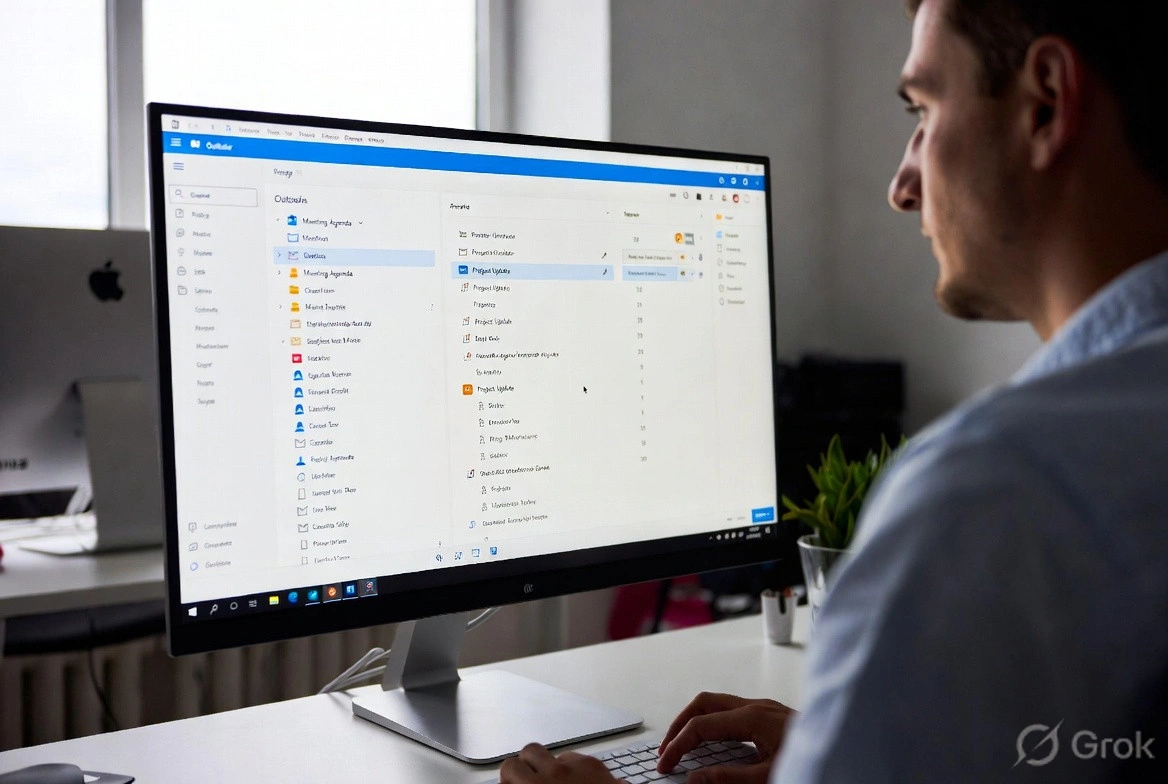
n8n Outlook Automation: Where the Node Stops and Graph Begins
n8n Outlook automation breaks in predictable places: subfolders, attachments, shifting email IDs, plus the Graph API workarounds we run in production.
Mar 16, 2026

What Is a Workflow? Definition, Parts, and What Breaks
A workflow is the repeatable set of steps that takes a task from start to finish. Here is what a workflow is made of, and the parts that quietly break.
Mar 1, 2026
Sick of reading about automation?
Book a free 15-minute intro call. We’ll talk through what you’re trying to automate and whether we’re a good fit.