Skip to content

Law firm automation that never overwrites a lawyer's work

Matter details, trust balances and documents get retyped between the practice management system and the tools your lawyers actually use. We connect them, with checks that hold anything uncertain for a person. Confidential data stays in Australia.

Capability statement (PDF, 2 pages)

About 1,100 open matters kept in sync for a Melbourne law firm, with nothing hand-set overwritten. Read the case study

How law firm automation worksMatter data from the practice management system, the lists lawyers work in, intake forms and email is compared, and only the differences are written. Doubtful records are held for a person, and a weekly audit email reports every change.osher.com.auPractice systemmatters and trustMatter listswhere lawyers workIntake formsnew enquiriesEmailletters, attachmentsMatter syncchanges only what it ownsMatter 24-0117, PropertyTrust balance updatedWorking notes kept as they areDoubtful record heldfor a person to reviewWeekly audit emailchanges, records to check

What we automate

The admin between the practice system and the lawyer

Matter sync

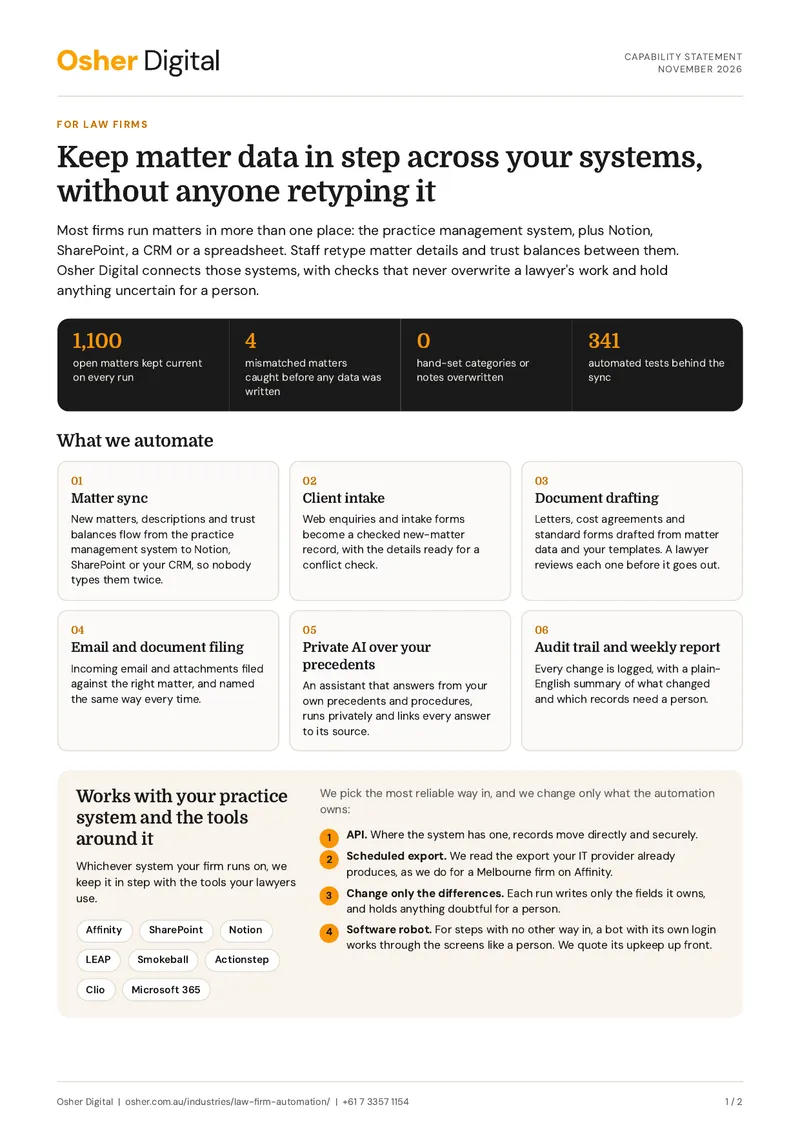
New matters, descriptions and trust balances flow from the practice management system to Notion, SharePoint or your CRM, so nobody types them twice.

Client intake

Web enquiries and intake forms become a checked new-matter record, with the details ready for a conflict check.

Document drafting

Letters, cost agreements and standard forms drafted from matter data and your templates. A lawyer reviews each one before it goes out.

Email and document filing

Incoming email and attachments filed against the right matter, and named the same way every time.

Private AI over your precedents

An assistant that answers from your own precedents and procedures, runs privately and links every answer to its source.

Audit trail and weekly report

Every change is logged, with a plain-English summary of what changed and which records need a person.

Practice management systems

Works with your practice system and the tools around it

Whichever system your firm runs on, we keep it in step with the tools your lawyers use.

Systems we work with

  • Affinity
  • SharePoint
  • Notion
  • LEAP
  • Smokeball
  • Actionstep
  • Clio
  • Microsoft 365

We pick the most reliable way in, and we change only what the automation owns:

  1. API. Where the system has one, records move directly and securely.

  2. Scheduled export. We read the export your IT provider already produces, as we do for a Melbourne firm on Affinity.

  3. Change only the differences. Each run writes only the fields it owns, and holds anything doubtful for a person.

  4. Software robot. For steps with no other way in, a bot with its own login works through the screens like a person. We quote its upkeep up front.

Case studies

Matter data, documents and private AI

A sync we run for a Melbourne law firm, and two builds that use the same skills on other documents.

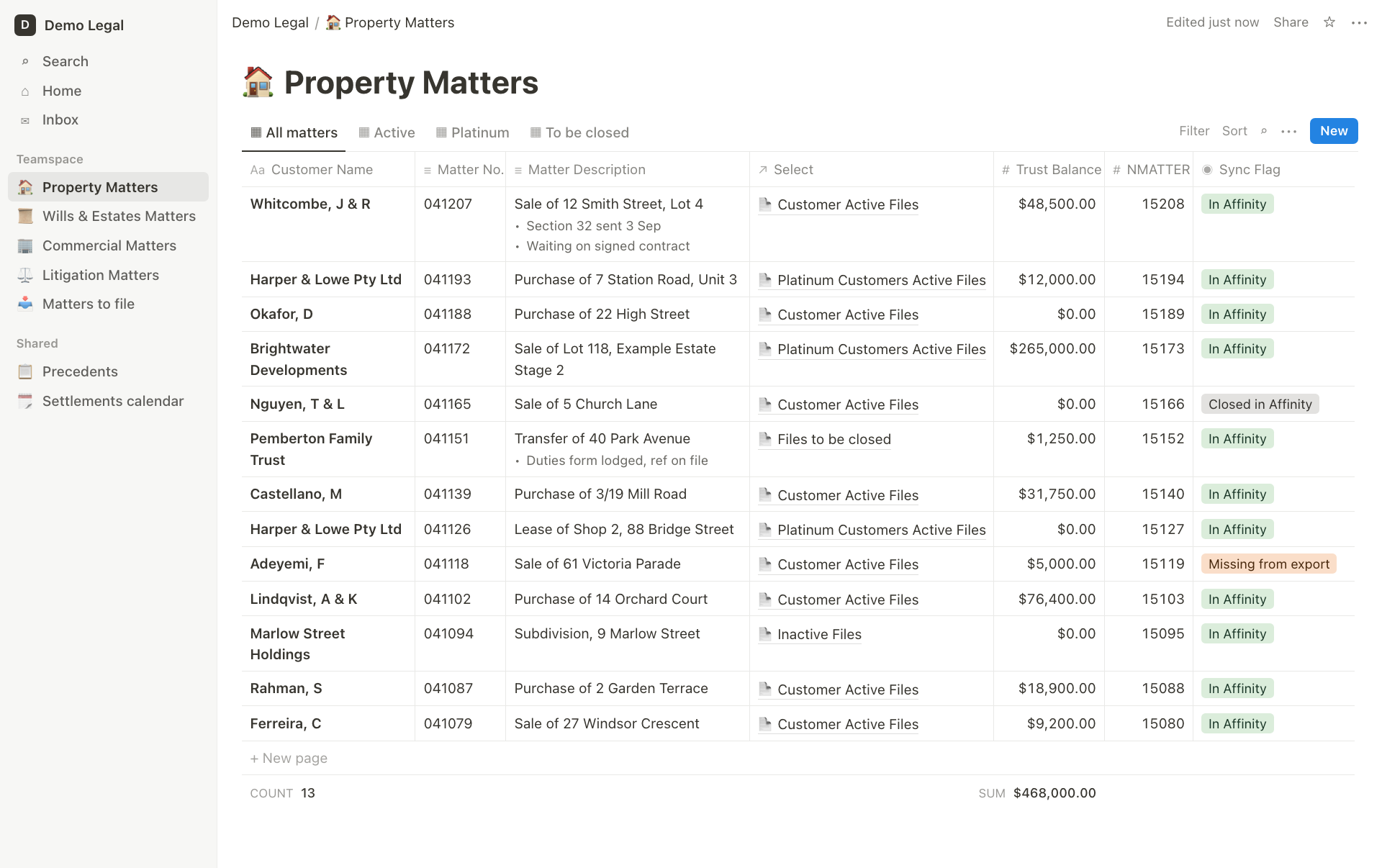
Affinity to Notion Sync for a Law Firm

A Melbourne law firm ran its matters in Notion and its records in Affinity, with staff re-keying between the two. Osher Digital built a guarded daily sync that keeps Notion current and never overwrites the work a person did by hand.

Automating Insurance Claims with an AI Agent

Strive Community Care is a Brisbane based NDIS registered provider and spent a massive amount of time preparing property damage insurance claims. Osher Digital automated the claim preparation drafting process with an AI Agent.

Self-Hosted AI RAG Agent for Internal Knowledge

A building inspection company engaged Osher Digital to develop a self-hosted AI retrieval-augmented generation (RAG) question-and-answer agent. The agent, accessible via full-screen interface or chat bubble on the company intranet, handles staff queries using the internal knowledge base, government legislation, and ISO standards.

Capability statement

The two-page version, for your partners or practice manager

What we automate, the systems we work with, our case studies and how a project runs, on two A4 pages.

Download the capability statement

PDF, 2 pages. No email needed. Or book a 15-minute call.

Confidentiality

Confidential by design

Using AI in the firm? Our free AI governance templates cover the policy, the register and the board summary.

Where it runs

  • Hosted in Australia
  • AI services in an Australian region, or self-hosted
  • Access scoped to the one site or folder a workflow needs

What it will not do

  • Delete a record
  • Overwrite hand-set fields or working notes
  • Give legal advice. A lawyer reviews every draft

What you can see

  • Every run logged, with its result
  • A weekly audit email in plain English
  • Dry-run reports before any writer is switched on

How it works

How a project runs

  1. A 15-minute call

    Tell us which systems hold your matters and where staff retype data today.

  2. A clear quote

    We tell you which method fits and what it costs, including upkeep.

  3. Report first, then write

    The automation reports what it would change until you switch each writer on.

  4. Go-live and tuning

    We train your team, set up the review list and tune the checks on real use.

Articles

Further reading for firms

FAQs

Law firm automation questions, answered

Yes. We use the system's API where it has one, or the scheduled export your IT provider can already produce. For steps with no other way in, a software robot can work through the screens.

Not the way we build it. Each run writes only the fields the automation owns, keeps working notes and hand-set categories as they are, and holds any record it is unsure of for a person.

In Australia. We host workflows on Australian servers, scope access to the one site or folder a workflow needs, and keep matter names and balances off any web page.

Yes, from your own templates and matter data. Every draft goes to a lawyer for review. Nothing we build gives legal advice.

Most legal systems offer an API or a scheduled export. Where neither exists, a software robot with its own login can do the job, and we quote its upkeep up front.

Book a 15-minute call. Tell us which systems hold your matters and where staff retype data, and we will tell you what fits and what it costs.

Stop retyping matters

Book a free 15-minute call. Tell us which systems hold your matters, and we'll tell you what fits and what it costs.

Australian-hostedPrivacy Act compliantNDAs standard