Invoices that raise themselves
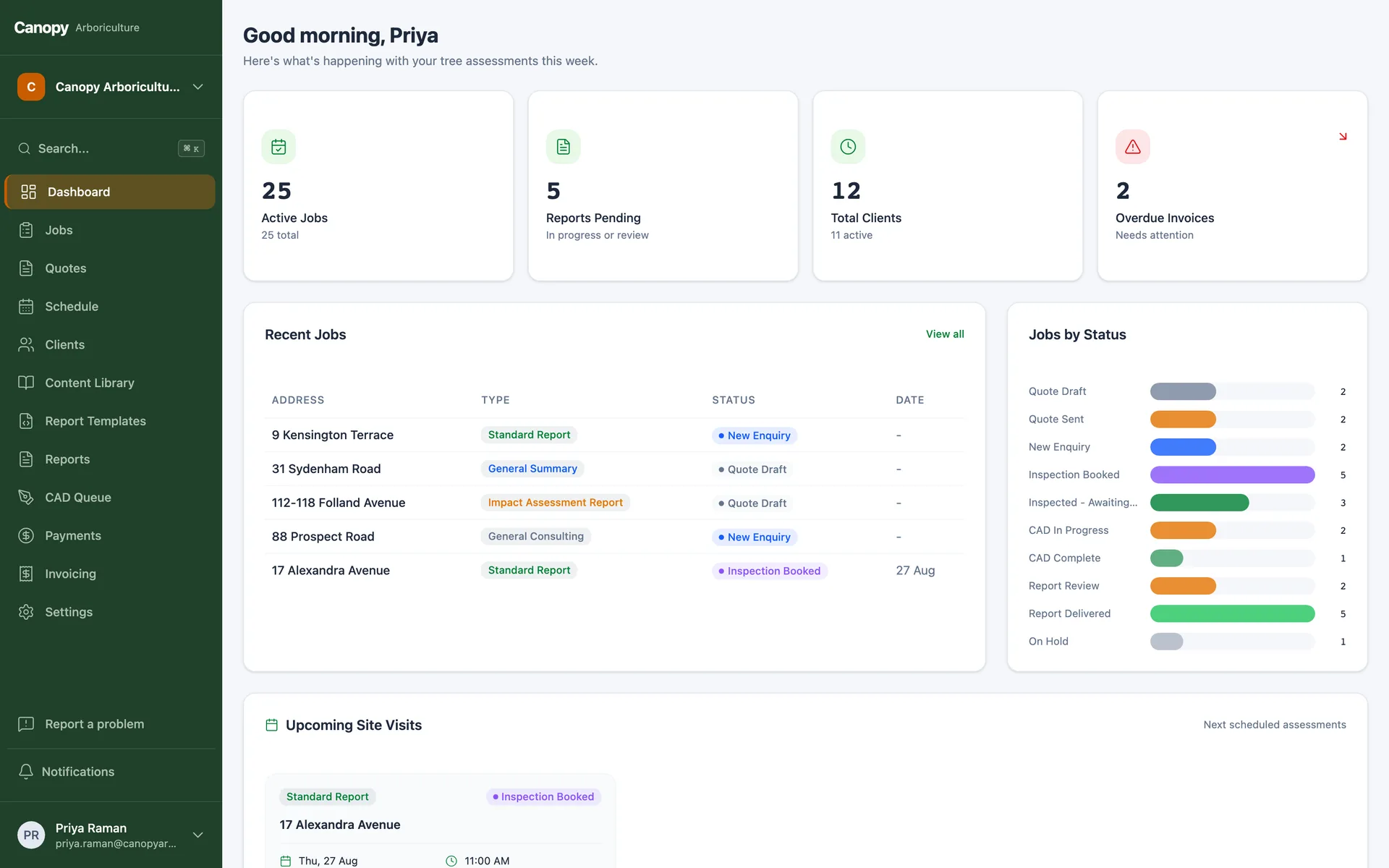
When a job reaches the right stage, the invoice raises itself in Xero, correctly, once. Payments sync back so your team sees paid and unpaid without opening the accounting system, card payments run with GST handled, and the end of the month stops being a data-entry event.
The problem
The work is done. The invoice is not.
In most businesses, invoicing is a second job. Someone reads the job system, retypes it into the accounting system, and hopes the two still agree at month end. Invoices go out late, get missed, or go out twice.
We connect the two properly. The system raises the invoice in Xero the moment work hits the stage you choose, with the right contact, the right line items and locking that makes double-invoicing impossible even if a human clicks at the same moment. Payment status flows back automatically, so chasing happens from live data.
Your accountant keeps Xero. Your team stops doing data entry. The books and the jobs finally agree, because they are reading the same records.
This is a module of our custom ERP platform, not a standalone product. Start with just this module and it already sits on the full platform, accounts, security, admin and API included, so the rest of the system can arrive stage by stage, whenever you are ready.

What you get
The money loop, closed
Raised at the right moment, once
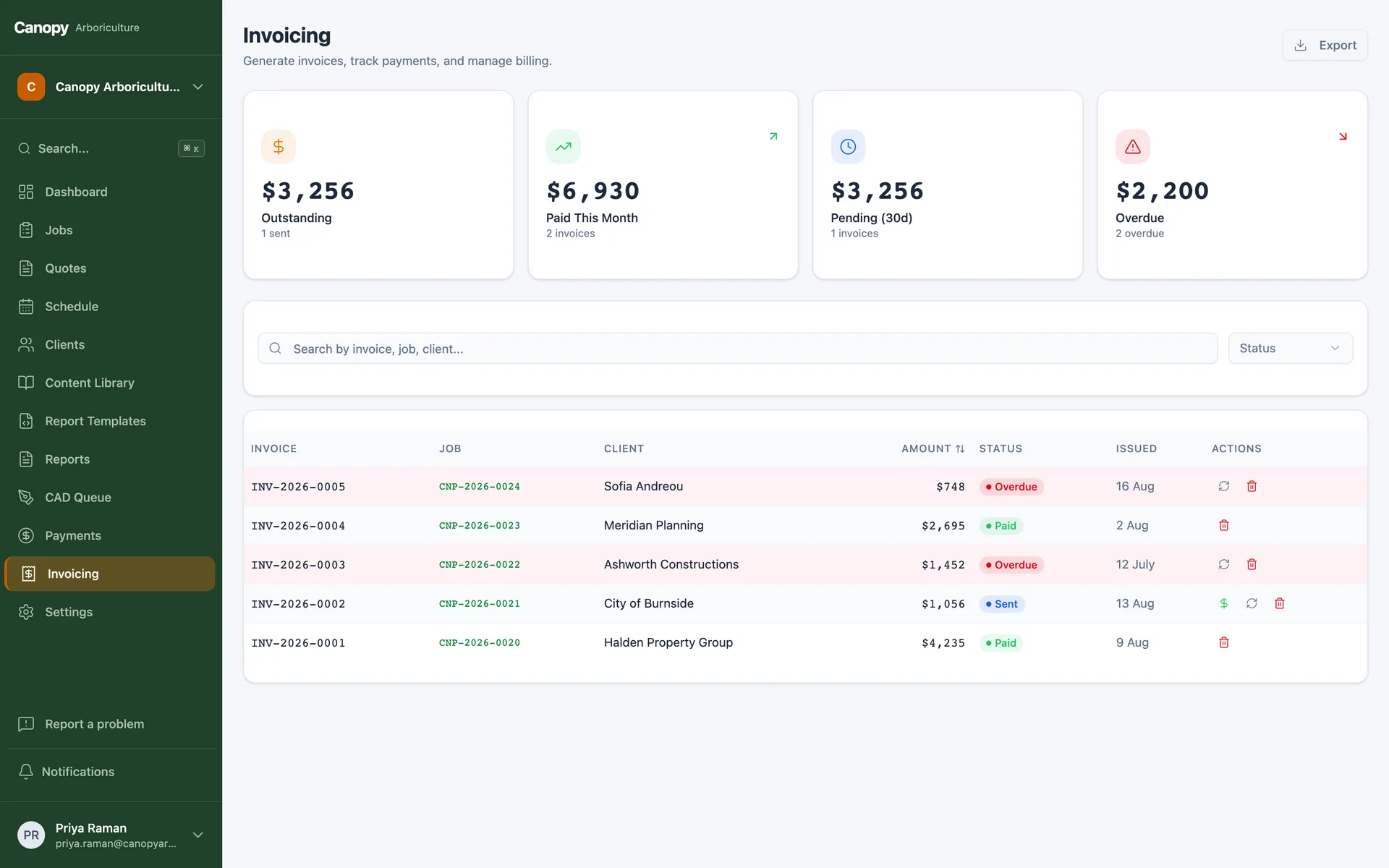
Invoices trigger from job stages you choose, guarded so an automatic raise and a manual click can never produce two invoices for one job.
Xero as the source of financial truth
Contacts match instead of duplicating, invoice numbers follow your format, and your accountant's world stays exactly as they like it.
Payment status without asking
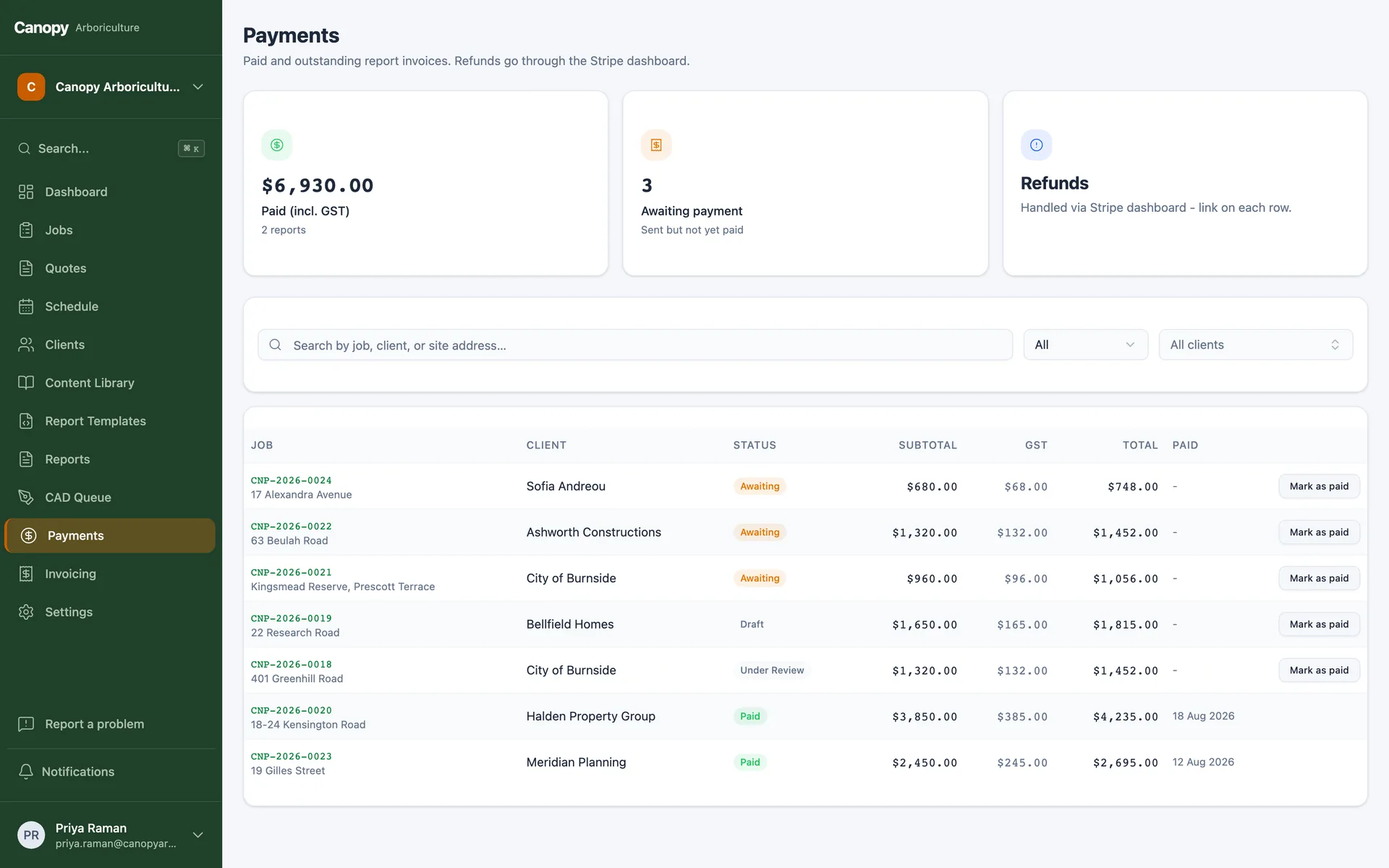
Paid, part-paid and overdue sync back to the job automatically, so the office sees money state next to work state.
Cards and GST done right
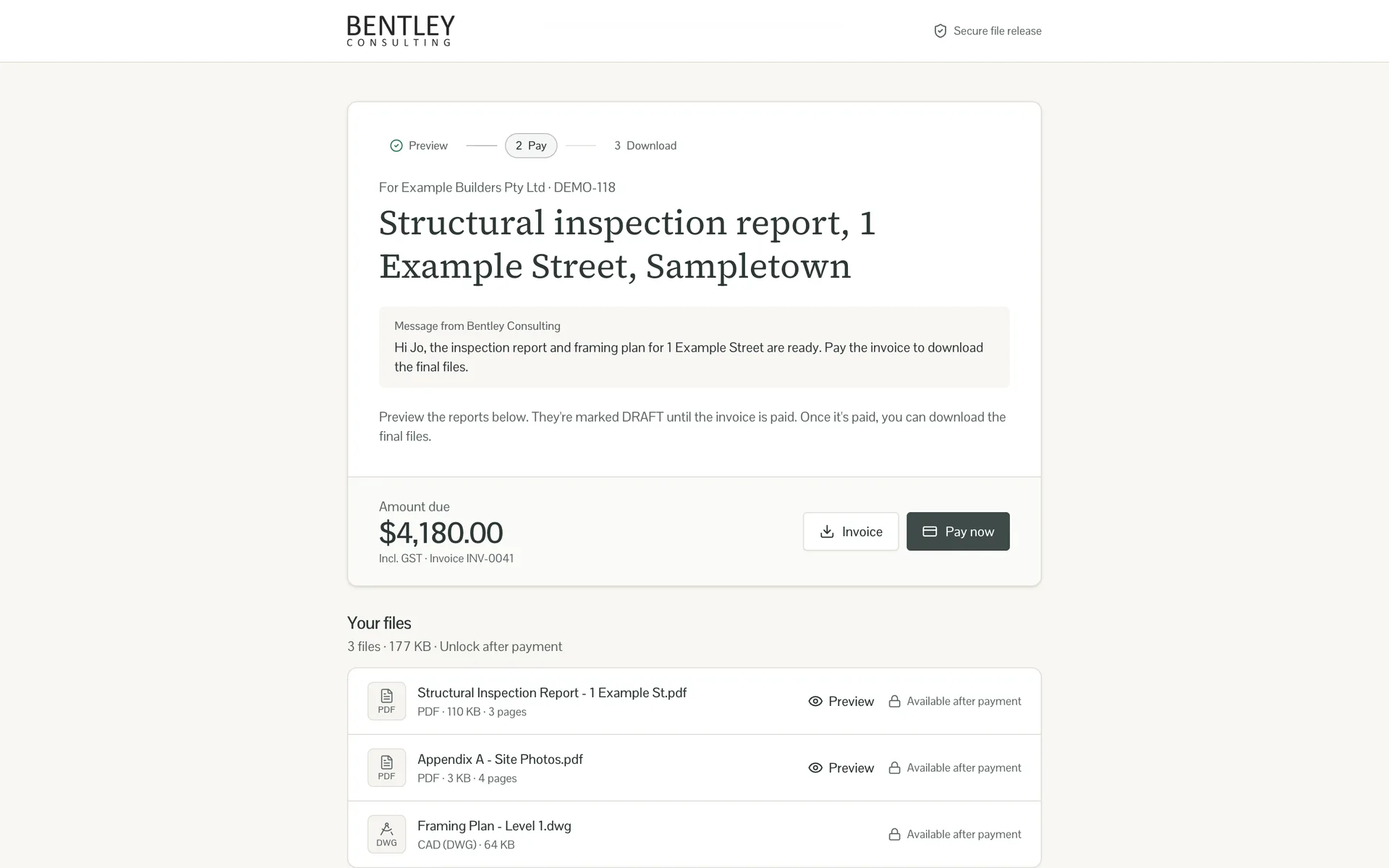
Online card payments produce compliant tax invoices with GST applied correctly, and bank-transfer payments can be recorded manually against the job.
A payments dashboard for humans
Collected, outstanding and overdue at a glance, filtered by client or period, with deep links into Xero when you need the detail.
Pause switches for real life
Company-wide invoicing pause for the week you migrate accountants, per-job holds for the disputes, all visible and reversible.
AI native
Run it from Claude or ChatGPT
Every module ships on a platform with a built-in MCP server, which means AI assistants like Claude and ChatGPT can securely read and operate your system with the same permissions as a staff member. Ask where a job is up to, get a client summary before a call, or have tomorrow's follow-ups drafted, from the chat window you already use.
FAQs
Invoicing questions, answered
Pairs well with
Invoicing closes the loop the other modules open
This page is one module of a larger system. Everything below runs on the same platform and the same records, so the modules combine without integration projects, and you can add them in any order.
Quoting and pricing
What was quoted is exactly what gets billed.
Learn moreJobs and workflow
The job stage triggers the invoice, and payment updates the job.
Learn moreClient portal
Clients pay online to unlock their deliverables.
Learn moreEmail and SMS
Payment reminders send themselves from live Xero status.
Learn moreDocument management
Invoices file themselves against the job.
Learn moreThe full custom ERP
See the whole platform your invoicing would be part of.
Learn moreStop invoicing by hand
Book a free 15-minute call. Tell us how invoices happen today, and we'll tell you what a build costs.
Australian-hostedPrivacy Act compliantNDAs standard