Consulting Arboriculture
A Job, Report and Field Capture Platform for an Arboriculture Practice
This Adelaide practice sells arboricultural reports, and the reports were slow to make. Osher Digital built a portal that runs the job from enquiry to paid PDF, a report engine that composes six report types from one shared content library, and an offline-first Android app that captures the tree data on site.
- Client
- An Adelaide arboriculture consultancy
- Location
- Adelaide, SA
- Practice
- Consulting arboriculture
- What it sells
- Tree reports for development applications
- Built
- A web portal, a report engine and an Android field app
The problem
The client is an Adelaide consulting arboriculture practice. Councils, developers and property owners engage them to assess trees, and what they sell is the report: a formal document that has to stand up in a development application. The reports are the product, and they were slow to make.
Tree data was recorded on site, typed into a spreadsheet, then retyped into a report. Every hop was a chance to get a diameter wrong.
The reports themselves were six Word documents that shared most of their content. Updating a standards citation meant finding every template that mentioned it, and the ones that got missed shipped anyway.
Around all that sat the quoting, the drafting contractor and the chasing of payment, with no single place to see where any of it stood.
The result
What changed
Tree data is entered once
Measurements are recorded on site and flow into the report without a transcription step in between.
One content library, six report types
A standards citation or a definition is edited once and every template that uses it is correct from then on.
The office controls the AI
The prompts behind the narrative sections are editable in the portal, and everything generated lands in an editor for review before approval.
The report is what gets sold
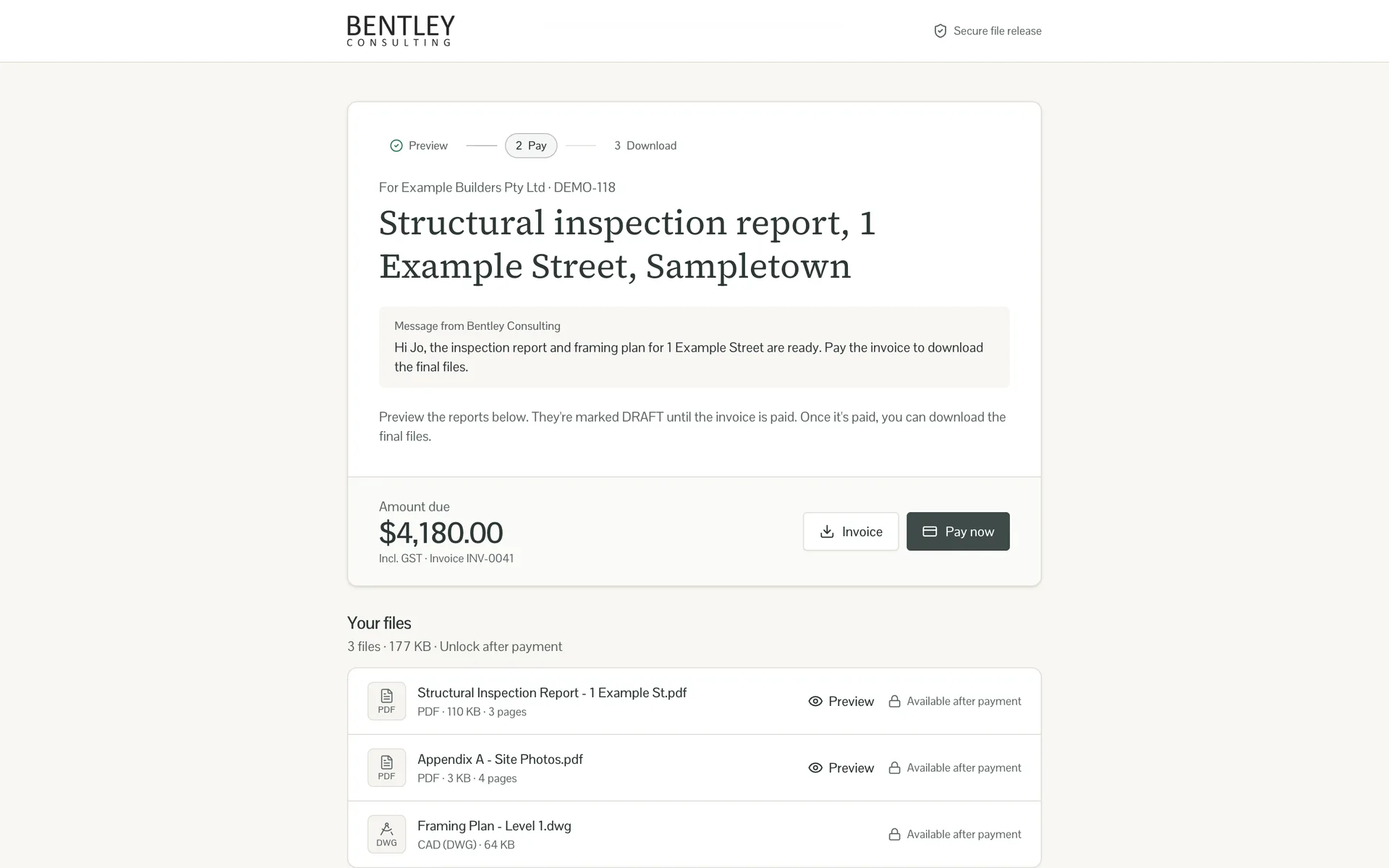
Clients receive a preview link and pay to unlock the PDF, so delivery and payment are the same step.
They own it
Source code for both the portal and the field app, with no per-seat fees.
How it works
What we built
01
A job that runs on a journey
Every job moves through a defined sequence, from new enquiry to report delivered, with drafting and on-hold as side lanes. The portal advances the job when the underlying thing happens, not when someone remembers to update a status. Setting a booking date moves it and emails the client. Field data arriving moves it again.
Staff can override any of it, and when they do the portal stops auto-advancing that job and says so. Automation that cannot be overruled is worse than none, because people stop trusting the status.
The journey advances when the underlying event happens. Override it and the portal stops auto-advancing that job, and says so. 02
An Android app for the assessment
Site data had been going into an off-the-shelf app the practice paid for and could not shape. We built a replacement they own.
The work happens in back yards and on building sites with no signal, so the app is offline first: its own SQLite database, syncing when it can. An arborist records each tree with its species, dimensions, protection zones, health, structure and retention value, with a GPS fix and photographs. A satellite map shows a pin per tree so the survey takes shape as they walk it, and voice notes are transcribed on the handset, which matters when both hands are busy.
Arborists can start a job from the phone too, so a walk-up does not wait for someone at a desk. Handsets enrol from the portal with a one-time code.
Species, ownership, height and age, with the GPS fix taken on the spot and re-takeable if the arborist moves. 03
Reports assembled from blocks
A report is no longer a document. It is a template: an ordered list of sections, each pointing at a reusable block. Some blocks are fixed text, like the retention definitions. Some are tables built from the tree data. The rest are AI prompts that write this job's narrative from this job's trees.
Six report types are composed from one library, so a wording change happens once. Templates are versioned, so you can see what any report was built from on the day it went out.
The office controls the AI. The prompts behind the narrative sections are editable in the portal, so when a report reads wrong the fix is a wording change by the arborist, not a ticket to us. Everything generated lands in an editor for review. Nothing reaches a client unread.
Sections are static text, a data map filled from the tree records, or an AI prompt that writes this job's narrative. Templates are versioned. 04
Drafting, tracked
Drafting is done by an external contractor, and the portal does not try to replace their tools. It tracks the handoff. Send the job to CAD and it enters a queue with its age visible; sit too long and a reminder goes out. Finished drawings upload into named slots and render in the right place in the report, with nobody pasting images into a document. The contractor gets a login showing their own jobs and nothing else.
Jobs with the contractor, ageing visibly. Sit too long and a reminder goes out on its own. 05
Selling the report, not the invoice
Pricing runs off the rate card, with ad hoc line items and an override that records its reason. The settled price is snapshotted onto the report when it is sent, so later edits do not rewrite history.
Delivery is the part worth copying. The client gets a link, not an attachment. It opens a preview with the rest blurred, and payment unlocks the PDF. The report is the product, so the report is what gets sold, and the practice stopped chasing invoices for work already delivered.
Clients pay to unlock the report, so delivery and payment stopped being two separate chases.
Two decisions worth stealing
The sync defers to the office
It is idempotent and deferential. Re-running it updates rather than duplicates, and it leaves the office's manual overrides alone instead of stamping over them with field values. Field data is an input, not an authority.
Files live in object storage
Photographs and PDFs go straight there, so they survive a deploy without a second backup path to maintain.
See it
Every screen
Open a section to browse it. Click any screenshot to enlarge.
Watch it work
More walkthroughs
No slides and no mock-ups. These are recordings of the running software.
What it is built on
- Rails 8
- Application server, PostgreSQL and Solid Queue
- React and Inertia.js
- Typed frontend with server-side rendering
- React Native and Expo
- The offline-first Android field app
- SQLite and Drizzle
- On-device database, synced with a stable per-tree key
- Mapbox
- Satellite basemap, offline map packs and address search
- On-device transcription
- Voice notes captured hands-free on site
- Cloudflare R2
- Photograph and PDF storage
- Stripe
- Report checkout with GST applied as exclusive tax
- Xero
- Client list and the accounting link