AI Document Processing
How AI document processing reads, sorts and checks invoices, forms and records, what to verify on accuracy and privacy in Australia, and how to start with one document type.
By Matthew Clarkson · November 23, 2026
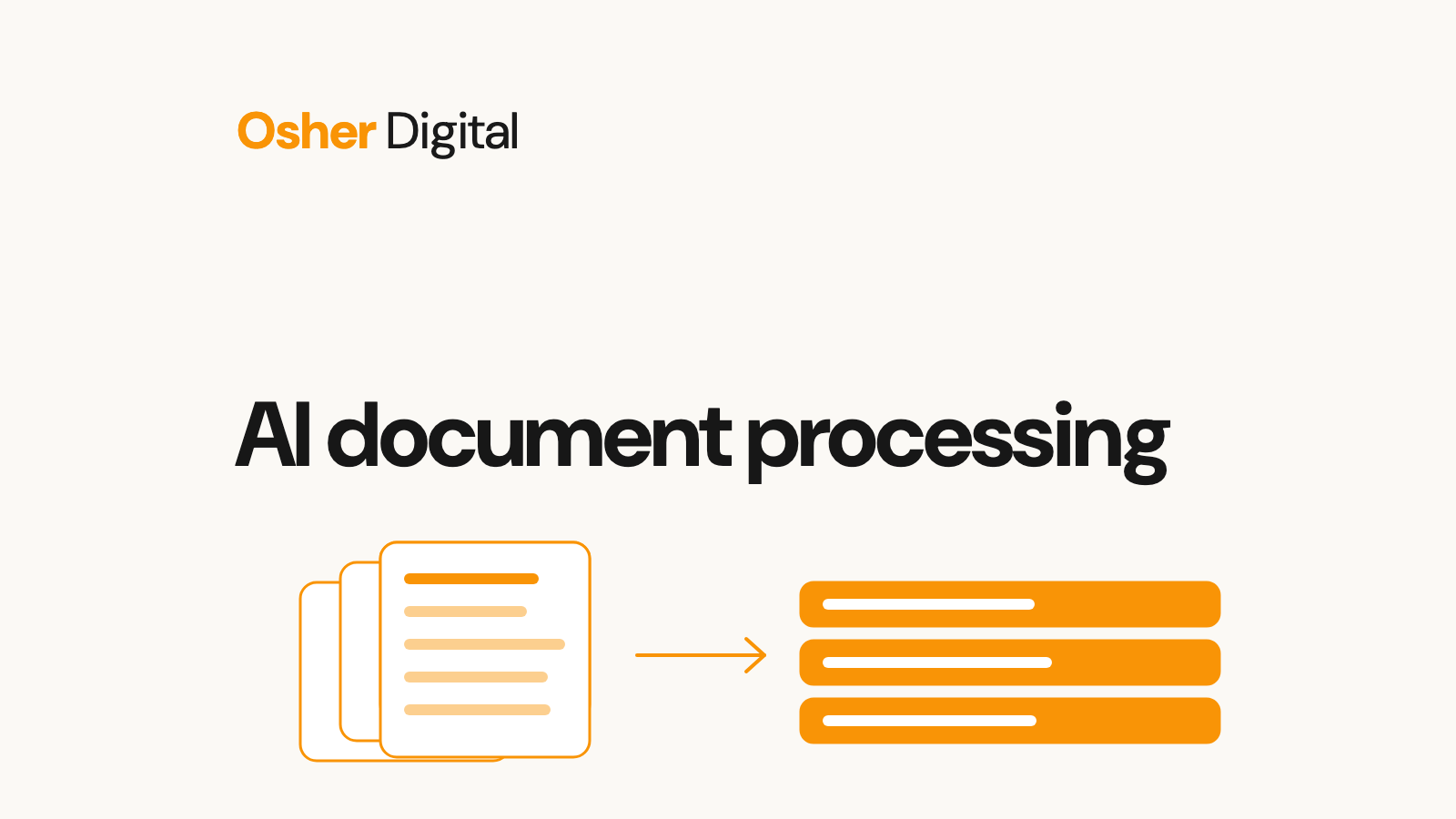
AI document processing is software that reads a document, works out what type it is, pulls out the fields you care about and sends them into the system where your team would otherwise type them by hand. For an Australian business, the real question is rarely which tool can read a PDF. It is whether the extracted data lands correctly in Xero, your CRM or your job management system, and whether someone checks the uncertain cases. We build these workflows around your existing tools and own processes, so the reading step is only one part of a system that removes the re-keying.
Key Takeaways
AI document processing reads, classifies and extracts data from invoices, forms, contracts and records, then validates it and passes it to your business systems.
Australia’s National AI Centre recommends starting with one document type, defining the fields and validation rules, and measuring accuracy on real documents before rollout.
The value comes from integration: extraction that does not reach your accounting, CRM or job system just moves the manual work somewhere else.
Check accuracy, data storage and privacy before you commit. The OAIC sets out specific questions under the Privacy Act’s Australian Privacy Principles.
A scoped audit shows which document workflows are worth automating first, so you spend on the ones that pay back.
What AI document processing actually does
Traditional document management stores and organises files. It relies on folders, file names, permissions and version control, and people still decide what a document is and type its contents into other systems. Docugami’s explainer draws the same line: a document management system leaves categorisation and data extraction to humans, while intelligent document processing analyses the content, classifies it as a contract, invoice or medical record, and extracts fields such as names, dates and clauses without manual tagging.
Older capture tools also needed a fixed template for each layout. Docsumo notes that every new supplier or bank meant a new template, whereas current systems learn what a field looks like and can read a layout they have not seen. Each extracted value comes back with a confidence score and its position on the page.
That confidence score is what makes the process safe to run in a business. A high-confidence value flows straight through. A low-confidence value goes to a person.
How the process works, step by step
Most systems follow the same pipeline. Databricks describes it as ingestion, preprocessing, optical character recognition (OCR, which turns an image of text into machine-readable text), classification, field extraction, validation, structuring and handoff to downstream systems. In plain terms:
Intake. Documents arrive from email inboxes, upload forms, scanners or shared folders.
Clean-up. Skewed scans are straightened and noise is reduced so the text can be read.
Classification. The system decides whether the file is an invoice, a referral, a lease, a timesheet or something else.
Extraction. It pulls the fields you defined: supplier name, date, total, line items, account numbers.
Validation. Values are checked against rules and existing records, for example whether an ABN matches a supplier in your accounting file or whether line items add up to the total.
Human review. Anything the system is unsure about is flagged for a staff member to check and correct.
Handoff. Clean, structured data goes into the accounting, CRM, ERP or job management system.
The National AI Centre describes the same idea for Australian businesses: AI reads uploaded documents and pulls out dates, totals, supplier names and line items so staff do not re-key them, with low-confidence extractions flagged for a person to correct.
The last two steps decide whether the project saves money. Many off-the-shelf products stop at step 4 or 5 and hand you a spreadsheet. A custom workflow carries the data on to where the work continues.
Where it fits in an Australian business
The strongest candidates are documents that arrive in volume, in varied layouts, and trigger a downstream task. Common examples in the industries we work with:
| Industry | Typical documents | Where the data needs to go |
|---|---|---|
| Property management | Supplier invoices, lease agreements, inspection reports, maintenance requests | Accounting system, property management software, job tracking |
| Healthcare | Referrals, pathology and imaging reports, intake forms | Practice management system, patient record, task queue |
| Legal and professional services | Contracts, client onboarding forms, ID documents, engagement letters | Matter or CRM system, document store, billing |
| Field services | Job sheets, quotes, purchase orders, compliance certificates | Job management, scheduling, invoicing |
| Recruitment | CVs, right-to-work documents, reference checks | CRM or applicant tracking, client submissions |
| Finance and accounts | Supplier invoices, bank statements, expense receipts | Xero or another ledger, approval workflow |
Invoices are the usual starting point because the fields are well defined and the destination is clear. The Australian Taxation Office also promotes eInvoicing, where businesses with eInvoicing Ready software can send and receive invoices over the secure Peppol network. Many suppliers will still send PDFs, photos and emails for some time, so a processing layer that handles both the structured and unstructured kind remains useful.
We have applied this to clinical paperwork too. Our AI medical document classification project for a healthcare practice shows how incoming documents can be sorted automatically so staff work from a classified queue instead of an unsorted inbox. More examples are on our Australian AI case studies page.
What the savings look like
The best-documented Australian figures come from a software provider operating at scale. Melbourne-based BGL’s SmartDocs 360 platform, built on a cloud text-extraction service, reportedly saved its 200,000-plus customers 130,000 collective hours since 2020. It automated around 80% of processing work, cut document processing costs by 80% and reduced average processing time by 75%, from two hours to 30 minutes.

That is a large platform with standardised document types, so do not expect your own result to match it. It does show where the gain comes from: a repetitive, high-volume document type, extraction accuracy high enough to skip most manual checks, and a direct path into the next system.
To estimate your own return, work from your documents rather than from a vendor’s headline:
Count volume. How many documents of this type do you handle each month?
Time a handled document. Include opening, reading, typing, checking, filing and chasing errors.
Cost the time. Multiply by the loaded hourly cost of the people doing it.
Add error cost. Include rework, late payments, missed fees and the time spent finding the mistake.
Subtract the exceptions. Some documents will always need a person. Plan for a share of them to go to review.
For one of our clients, a property team, an audit identified $250,000 in annual savings across its manual processes. Document handling was part of that picture. The point of an audit is that it measures these figures across your workflows, so you know which one to automate first.
Why integration matters more than extraction
Reading a document accurately is now a commodity capability. Fitting it into the way your team works is where projects succeed or fail. The National AI Centre’s guidance on choosing a solution says AI delivers the most value when it fits existing workflows. It tells businesses to check whether a tool works with current systems, needs APIs or connectors, or adds manual steps and duplication, because a poor fit can increase effort rather than reduce it.
In practice that means asking:
Does the extracted data post straight into Xero, HubSpot, Microsoft 365 or your industry software, or does someone export and import a file?
Can the workflow apply your own rules, such as approval limits, cost-code coding or supplier matching?
What happens when a field is missing or a document is a type you did not plan for?
Who sees the review queue, and how quickly can they clear it?
This is the work we do. Our automation and integrations service connects the tools you already use, and our custom systems cover quoting, job management, scheduling, invoicing and reporting. Where a business needs the document step to feed a bigger system, we can build that as well, such as a custom CRM or custom ERP. With every solution you own the code, data and IP outright, and there are no per-user fees or forced subscriptions.
How to start without over-building
The National AI Centre’s advice is to start with one document type, such as supplier invoices, define the fields and validation rules, and measure accuracy on a sample of real documents before rollout. We would follow the same sequence.
1. Pick the document with the clearest payoff
Choose the type with the highest volume, the most repetitive entry and the clearest destination. Supplier invoices, referrals and job sheets are typical.
2. Define the fields and the rules
Write down every field you need and what makes it valid. For an invoice that might be supplier, ABN, invoice number, date, GST amount, total and line items, plus rules such as “total must equal the sum of lines” or “supplier must exist in the ledger”. The rules are what catch errors before they reach your books.
3. Gather a real sample
Use documents as they actually arrive: crooked phone photos, multi-page PDFs, unusual layouts. A tidy sample overstates accuracy.
4. Measure accuracy field by field
A single overall percentage hides the problem. A system can read most fields well and still get the one that matters, such as bank account numbers, wrong too often. Measure each field and set a confidence threshold for automatic acceptance.
5. Design the exception path
Decide who reviews flagged items, how corrections are recorded, and how they improve the system. Human judgement stays in the loop for decisions that matter. Our approach is to integrate AI agents only where they add real value and keep people in critical decisions.
6. Connect and run alongside existing work
Run the new workflow in parallel for a short period, compare outputs, then switch over.
Privacy, accuracy and security checks for Australian businesses
Documents often hold personal information, so the Privacy Act applies. The Office of the Australian Information Commissioner (OAIC) has published guidance on privacy and commercially available AI products. Its questions translate into a practical checklist:
Accuracy (APP 10). Has the system been tested and shown to work for your intended use, and do you understand its limitations and safeguards?
Privacy risk. Is the use a high privacy risk activity, such as decisions with a legal or similarly significant effect on individuals?
Security (APP 11). What are the security risks, including past incidents and the developer’s protective measures?
Integration and hosting. Will the system have access to your documents, and is it hosted in the cloud?
Use of your data (APP 6). Do the terms let the developer access personal information you input or the system generates, and can you opt out or place controls on that use?
The National AI Centre adds similar points: confirm what data the solution collects, where it is stored and processed, whether it is used to train models, and who owns the outputs. It also advises caution with sensitive or confidential information in platform-based or browser-based tools.
Those last points are why ownership terms matter. When you own the system and the data outright, the questions about who holds your documents and who trains on them have clear answers. If you want to put a policy in place before rollout, our free AI governance checklist and AI policy template are written for Australian businesses. Our guide to AI regulation in Australia explains the wider rules.
Using ChatGPT on business documents
A general chat assistant can summarise or answer questions about a single document, and many people use it that way. It is a different job from document processing. Processing means handling hundreds of documents consistently, applying your validation rules, scoring confidence, routing exceptions and writing to your systems with a record of what happened.
If staff are already pasting client documents into chat tools, the privacy checks above apply to those tools as well, especially the questions about where data goes and whether it trains models. A defined workflow with clear rules on what can be processed is easier to govern than ad hoc use. Our AI technologies guide explains where each kind of AI fits.
What this costs with Osher Digital
The cost depends on the scope, so we begin with a Business Process Audit, which starts from AUD 7,500 as a one-off fee. It maps your workflows and ranks the automation opportunities, including document handling, so you can see which ones to build first.
From there, the published starting prices are:
| Service | Published price |
|---|---|
| Business Process Audit | From AUD 7,500, one-off |
| AI agents and assistants | From AUD 4,000, one-off |
| Automation and integrations | From AUD 5,000, one-off |
| Your own business system | From AUD 15,000, one-off |
| Robotic Process Automation | AUD 15,000 to AUD 60,000, one-off |
Robotic process automation (RPA) uses software bots to carry out rule-based steps in existing systems, such as entering validated data where there is no direct connection. It pairs naturally with document extraction, and you can read more on our robotic process automation page.
If your team spends hours each week reading documents and typing them into other systems, book an audit or talk to us about an automation and AI agent project. We will tell you which document workflow to start with and what it should connect to.

FAQ
What is the difference between OCR and AI document processing?
OCR converts the image of text into characters a computer can read. AI document processing goes further: it classifies the document, finds the specific fields you need, validates them against rules and sends them to a business system. OCR is one stage inside the larger pipeline.
Which documents are best to automate first?
Start with the type that arrives in high volume, has well-defined fields and feeds a clear next step. Supplier invoices are the most common starting point, followed by referrals, job sheets and onboarding forms. The National AI Centre also recommends beginning with a single document type.
Does AI document processing remove the need for staff review?
No. Systems score their confidence and flag uncertain extractions for a person to check and correct. The aim is that staff review the exceptions rather than type every document, and that people keep making the critical decisions.
How do I protect personal information in documents?
Check where the data is stored and processed, whether it is used to train models, who owns the outputs and what the security safeguards are. The OAIC’s guidance sets out these questions against the Australian Privacy Principles. Having your own written AI policy helps staff apply them consistently.
Can it connect to Xero, HubSpot or Microsoft 365?
Yes, integration with existing tools is a core part of our work. We connect document workflows to systems such as Xero, HubSpot and Microsoft 365 so extracted data arrives where your team already works.
Sources
OAIC: Guidance on privacy and the use of commercially available AI products
Tech Partner News: BGL clients save 130k document processing hours
Recommended
Last updated on November 24, 2026
Free tool · 3 minutes
AI Readiness Assessment
Score how ready your business is for AI in a few minutes, with tailored next steps.
Continue Reading
View all
AI Implementation Specialist: Hire One or Hire a Consultancy?
AI implementation specialist is the job title of the moment. Before you write the job ad, here is what the role covers, what the one-hire pitch leaves out, and why a process audit should come first.
Nov 13, 2026

How to Get Recommended in ChatGPT Without Junk Links
ChatGPT recommends firms it can read about. How to find the "best of" pages it cites, earn a place on the ones people read, and fix your own site first.
Nov 12, 2026

How to Claim Your Business on ChatGPT in Australia
OpenAI's new Business Hub lets you claim your business in ChatGPT, edit its details and see mentions and clicks. Here is what Australian businesses can use today, and what to check first.
Nov 11, 2026
Sick of reading about automation?
Book a free 15-minute intro call. We’ll talk through what you’re trying to automate and whether we’re a good fit.